29
4. Follow the sensor manufacturer’s instructions
for calibrating the sensor.
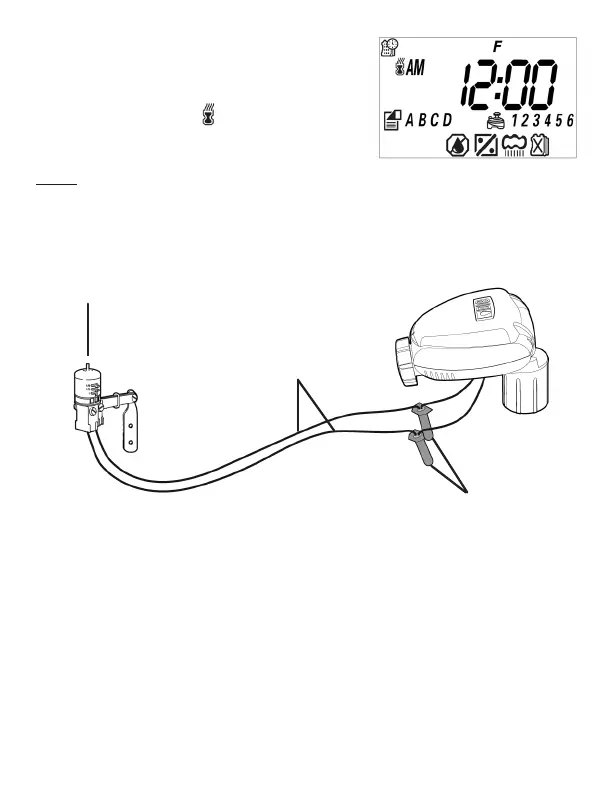
5. When the sensor is active and preventing
automatic operation, a icon will appear on
the display.
NOTE: The icon will only appear when the sensor
is active (the controller will not water).
Recommended rain sensors are the Rain Bird RSD and Hunter Mini-Clik.
Recommended soil moisture sensor is the Irrometer WEM-B.
SENSOR
YELLOW SENSOR
WIRES
WATERPROOF
CONNECTORS
Figure S


 To Next Page