For example:
The user entered watering run time will be adjusted monthly based upon the
forecast ET pattern for the selected region.
By selecting SP02, the controller may adjust the programmed run time of 10
minutes in the month of January to 3 minutes, or less. This reduces the irrigation
run time by 7 minutes, providing a water savings of nearly 70% for the month
of January.
To activate the SimpleSmart
™
ET feature:
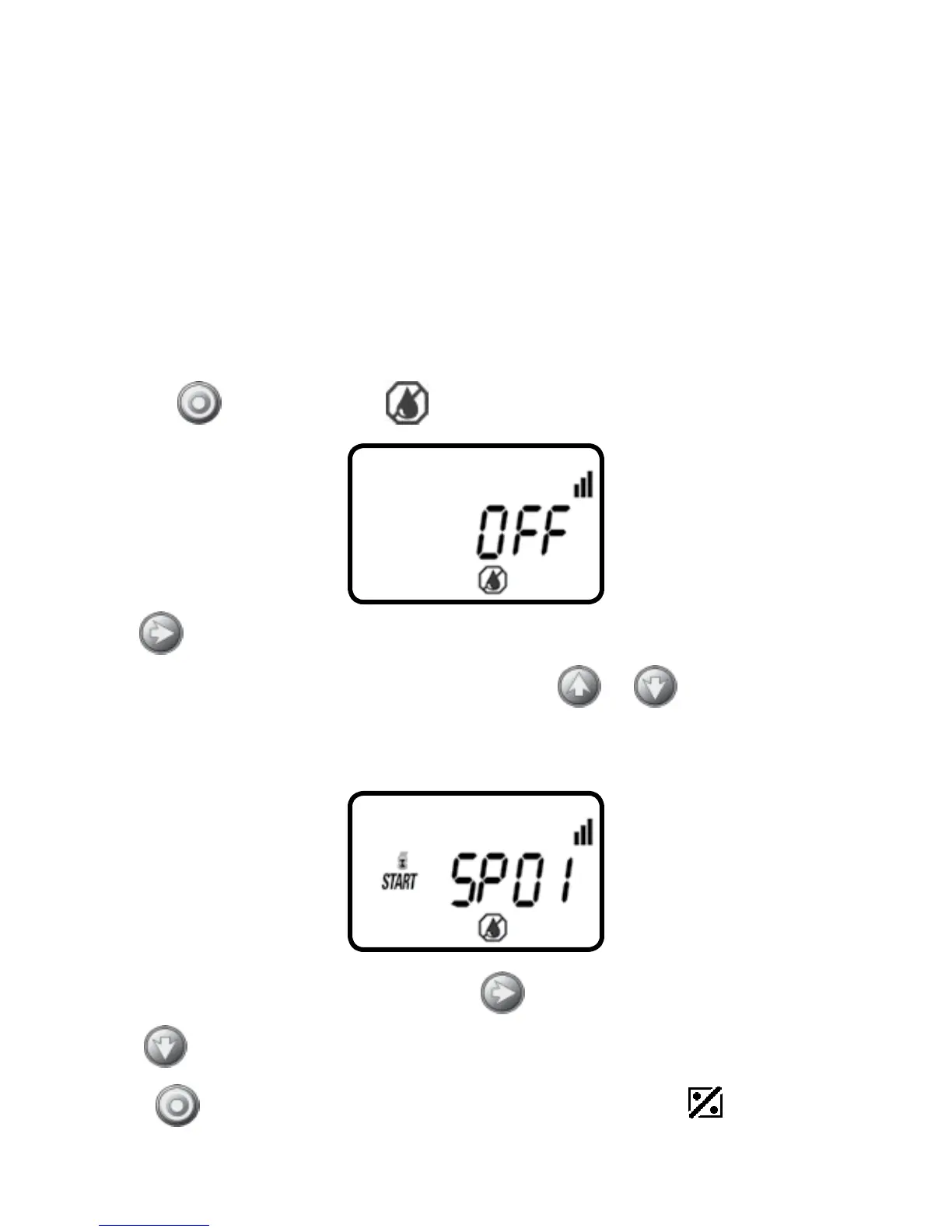
1. Press the
button until the icon appears and OFF appears.
2. Press and OFF (or the last SP program #) appears.
3. To select a desired SimpleSmart
™
preset press or and select one of the
twenty programs from the list using one that is similar to your climate region and
irrigation method (see map in centerfold or reference Chart A).
4. To deactivate the preset program, press and the program # appears flashing.
5. Press
until OFF appears.
Press the
button to proceed to the next step SET BUDGET or to review
the program.
17


 To Next Page