HI, MI, WI-700 service manual - 2 - component parts
2-28 Issue 9 04/2020
Conveyor & motor (click in type conveyor)
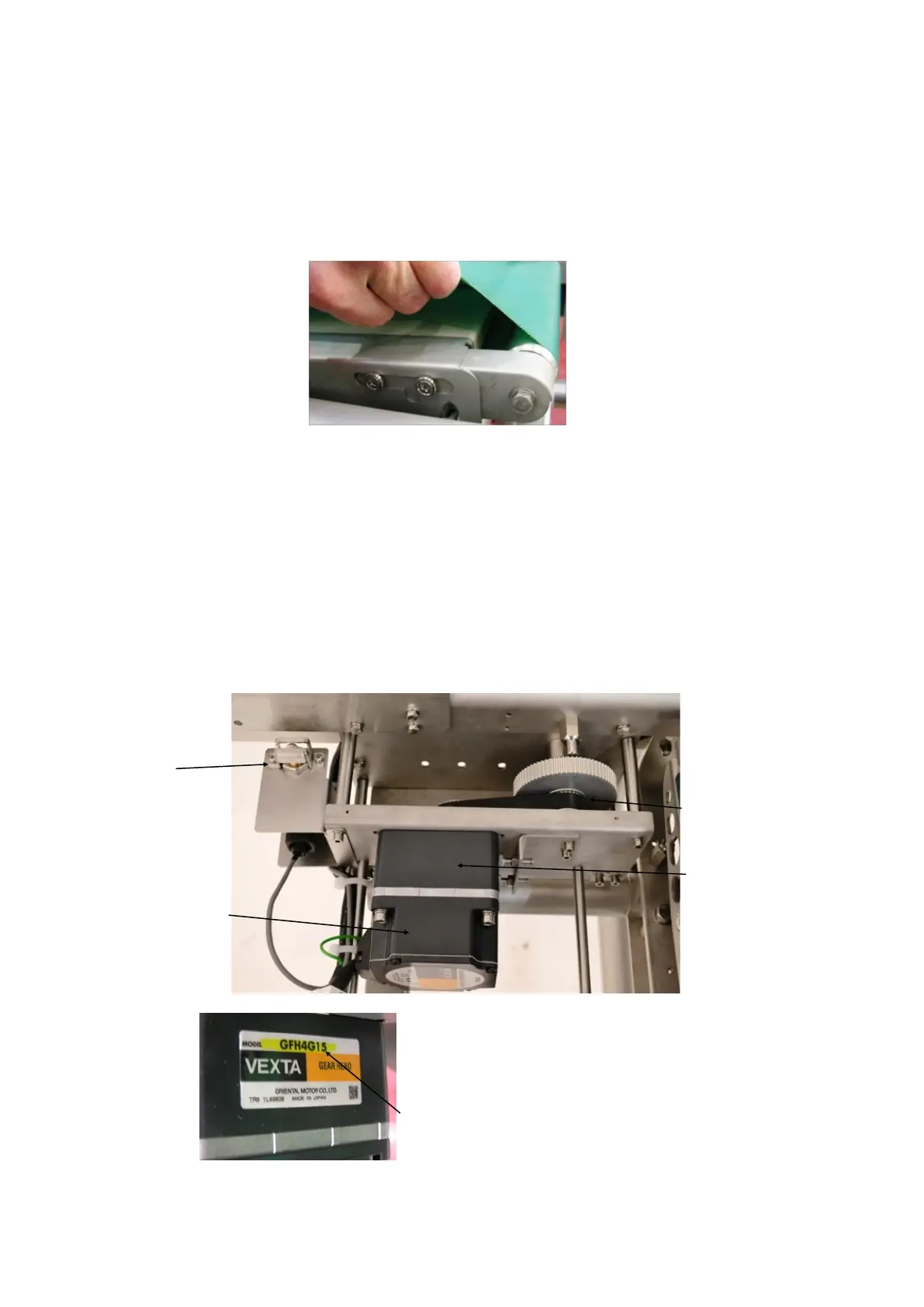
Removal of conveyors from machine.
Each conveyor is located in the frame of the machine by pins in the side frame.
To lift any one of the conveyors out, place hands under conveyor belt at the spring load end of the conveyor
and lift upwards, this will release the conveyor from the pins. The conveyor can now be lifted clear of the
machine.
Replacing the conveyor
When replacing the conveyor ensure it is the correct way round (i.e. - drive belt lines up with motor pulley),
and locate the fixed end of the conveyor into its location pins.
Place hands under belt at the spring loaded end to draw back the roller, locate this end into its pins and
release belts.
Check all corners of the conveyor are correctly in place and the spring loaded roller end is fully extended to
obtain correct conveyor belt tension.
Conveyor safety switch
Under the infeed & outfeed conveyors is a micro-switch which is a safety device to stop the conveyor
motors running when any one of the conveyors have been remove
Safety micro
switch
Brushless DC motor
AXHM 450KC-GFHK9
Gear head
GFH4G15 / 15:1 (for
HI)
GFH4G30 / 30:1 (for
MI & WI)
Drive pulley and belt
To check the gearhead ratio fitted, examine the gearhead
model number
From the model number on the side of the gearhead, the ratio
can be determined.
In this example the ratio is 15



 To Next Page