C|24 Guide54
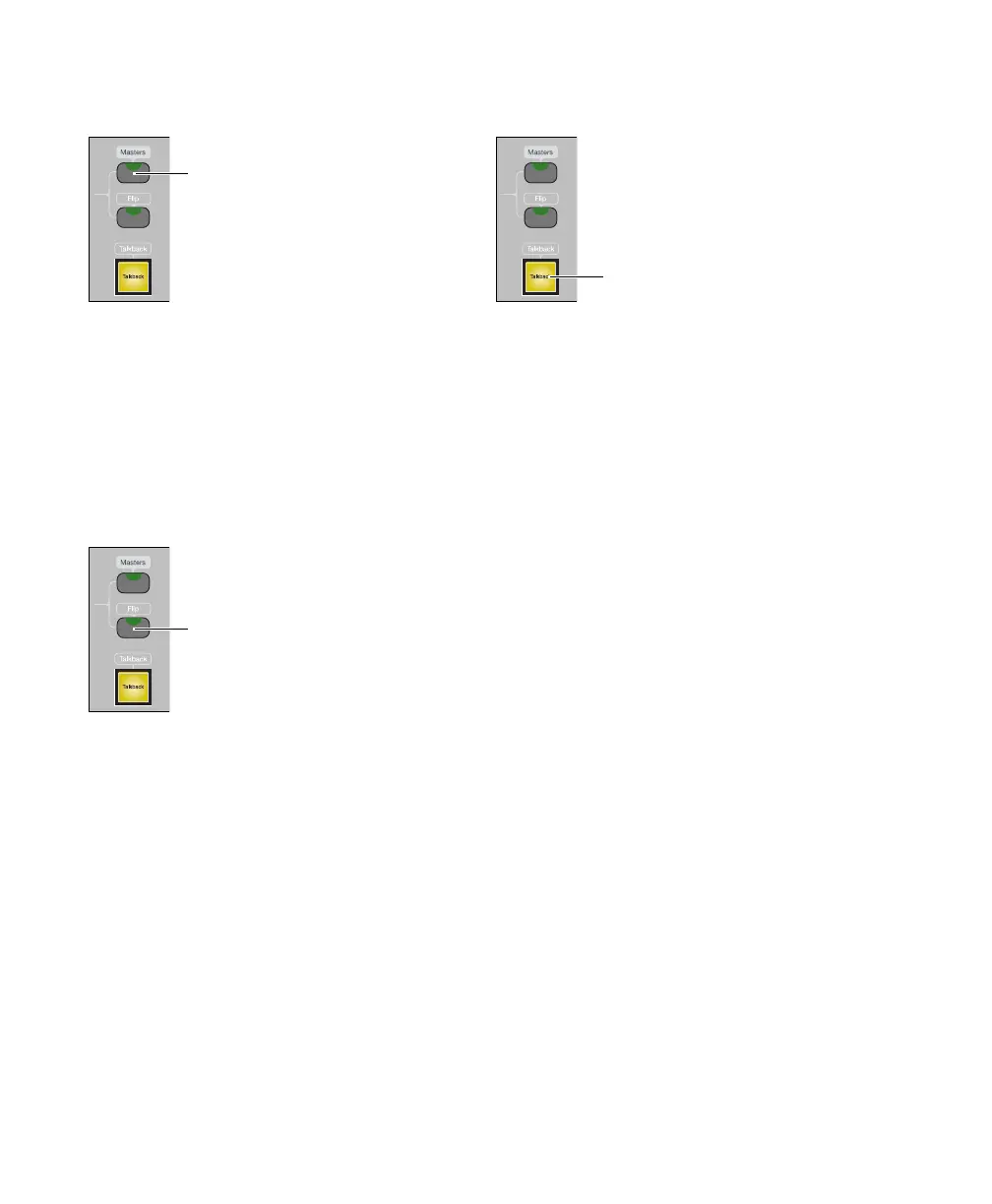
Masters Switch
The Masters switch cycles temporary display of
Master Fader tracks and VCA Master tracks
(Pro Tools HD only) to the right side of the C|24
faders. The Masters switch flashes to indicate
display of Master Faders or VCA Master tracks.
Flip Switch
The Flip switch invokes Flip mode. Flip mode
transfers control assignments from rotary en-
coders to the channel faders, which lets you use
the touch-sensitive faders to edit and automate
pan, send, PRE, and plug-in parameter values.
The Flip switch flashes to indicate Flip mode.
See “Flip Modes” on page 82.
Talkback Switch
The Talkback switch activates the Talkback mi-
crphone. The Talkback switch lights to indicate
that Talkback is active.
Talkback level is set with the Talkback controls
in the Monitor section. See “Talkback Level
Knob and Switch” on page 59.
You can set Talkback to stay on only when held,
or to latch on if rapidly double-pressed. See
“Talkback Latching” on page 112.
You can set the Talkback and Listen micro-
phones to turn on automatically when the
Pro Tools Transport is stopped, and turn off
when the Pro Tools Transport is running. See
“Auto Talkback” on page 116.
Masters switch
Flip switch
Talkback switch



 To Next Page