Chapter 6: C|24 Pro Tools Controls 53
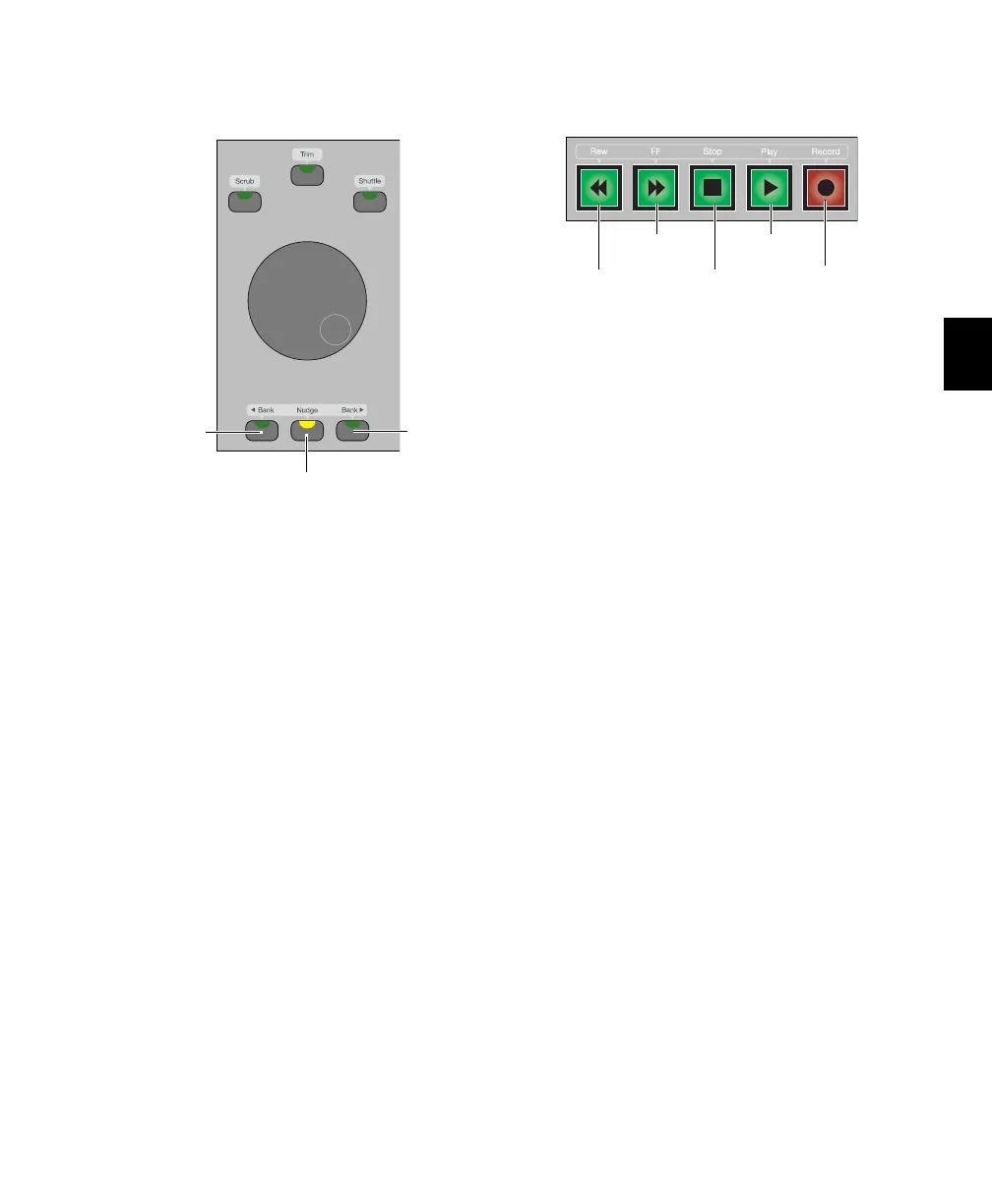
Bank/Nudge Switches
Bank Switches
The Bank switches move the display of tracks on
C|24 to the left or to the right 24 channels at a
time. If the “Mix/Edit Window Follows Bank Se-
lection” option is selected, the Pro Tools on-
screen display moves to mirror the track display
on C|24.
Nudge Switch
The Nudge switch, used with the Bank switches,
moves the display of tracks on C|24 to the left or
to the right one channel at a time. If the
“Mix/Edit Window Follows Bank Selection” op-
tion is selected, the Pro Tools on-screen display
moves to mirror the track display on C|24.
Transport Switches
The C|24 Transport switches correspond to the
buttons in the Pro Tools Transport window.
Rewind Switch Moves backward through the
Pro Tools session beginning from the current
cursor position, as long as the switch is held.
Fast Forward Switch Moves forward through the
Pro Tools session beginning from the current
cursor position, as long as the switch is held.
Stop Switch Stops playback of the Pro Tools ses-
sion.
Play Switch Begins playback of the Pro Tools ses-
sion from the current cursor position.
Record Switch Arms Pro Tools for recording. The
exact function depends on the current Pro Tools
record mode (QuickPunch, TrackPunch, Wait
for Note, Pause).
Bank/Nudge switches
Nudge switch
Bank Left
switch
Bank Right
switch
Transport switches
Fast Forward
switch
Stop
switch
Play
switch
Rewind
switch
Record
switch



 To Next Page