PYKO-out: Professional IP audio endpoint
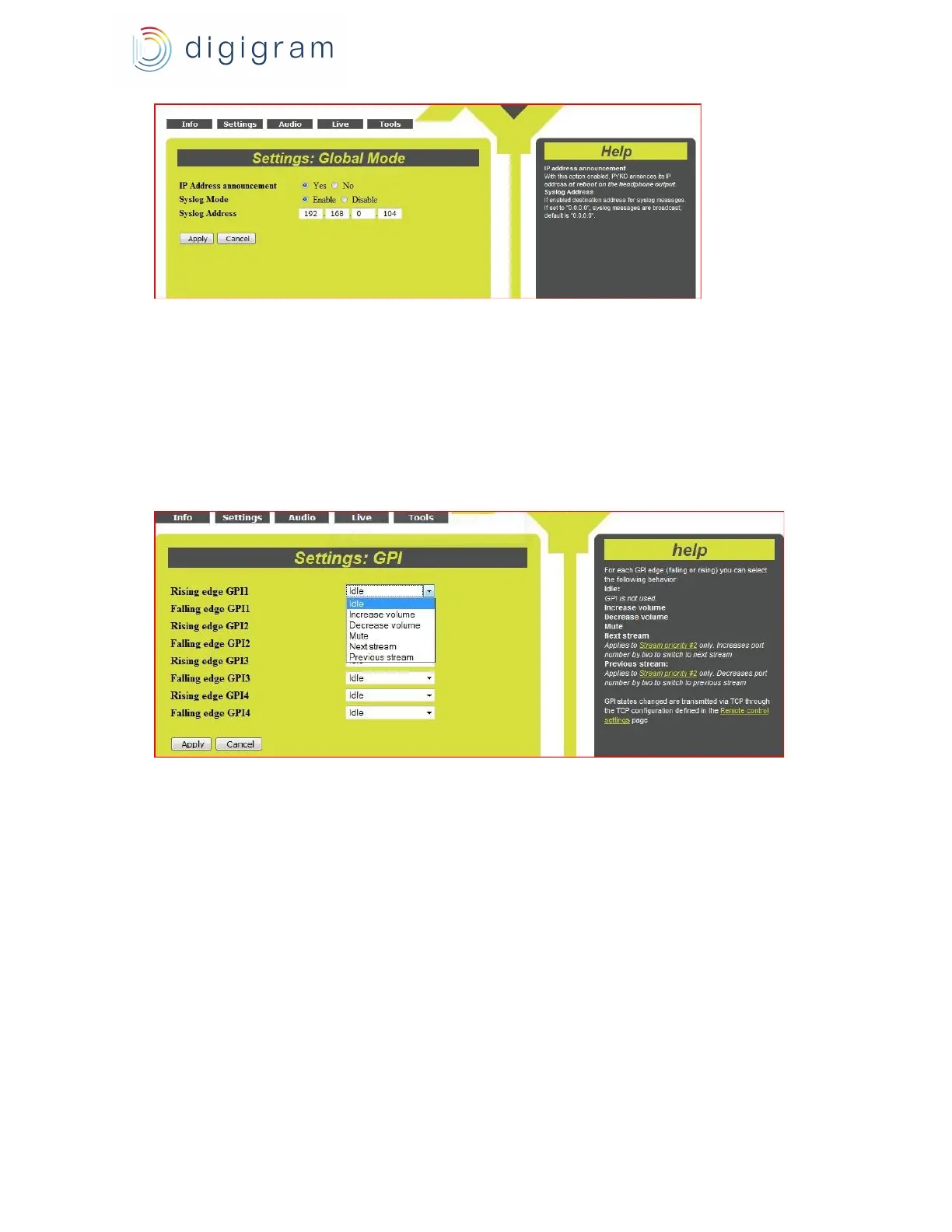
Click on “Apply” to take the settings into account, or “Cancel” to discard them.
6.4. GPIs configuration
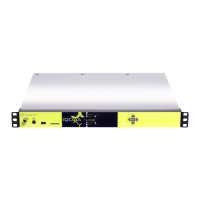
Go to menu « Settings », « GPI», to assign an action to a GPI.
It is possible to assign an action on rising edge or falling edge. Possible actions are:
- increase/decrease output volume
- Mute of the output
- next stream decoding (in case several streams are declared on priority 2)
Click on “Apply” to take the settings into account, or “Cancel” to discard them.
6.5. GPOs configuration
It is possible to define the status of each GPO (0 or 1) at PYKO start up, and to define which
GPOs are involved in the tunneling mode.
To access the parameters, Go to the menu " Settings ", "GPO", and select the appropriate
parameters.
12


 To Next Page