Copyright Digilent, Inc. All rights reserved.
Other product and company names mentioned may be trademarks of their respective owners.
1 Programming the Board
1.1 Programming Tools
The Basys MX3 can be used with Microchip’s standard MPLAB X IDE. This software suite can be downloaded for
free from the Microchip website and includes a free evaluation copy of the XC32 compiler for use with the PIC32
microcontroller family.
MPLAB X IDE is the tool used to write, compile, program, and debug code running on the Basys MX3 board.
Programming and debugging a program on the Basys MX3 using the MPLAB X IDE is possible using the DEBUG USB
connector. The board contains all the required circuitry for MPLAB X to communicate with the onboard PIC32, so
no additional programming tools need to be purchased.
When creating a new project in MPLAB X, a wizard allows you to setup the environment and device specific tools.
The steps for this include the following:
1. Select Microchip Embedded / Standalone Project, then use the “Select Device” option to specify the PIC32
microcontroller being used: PIC32MX370F512L.
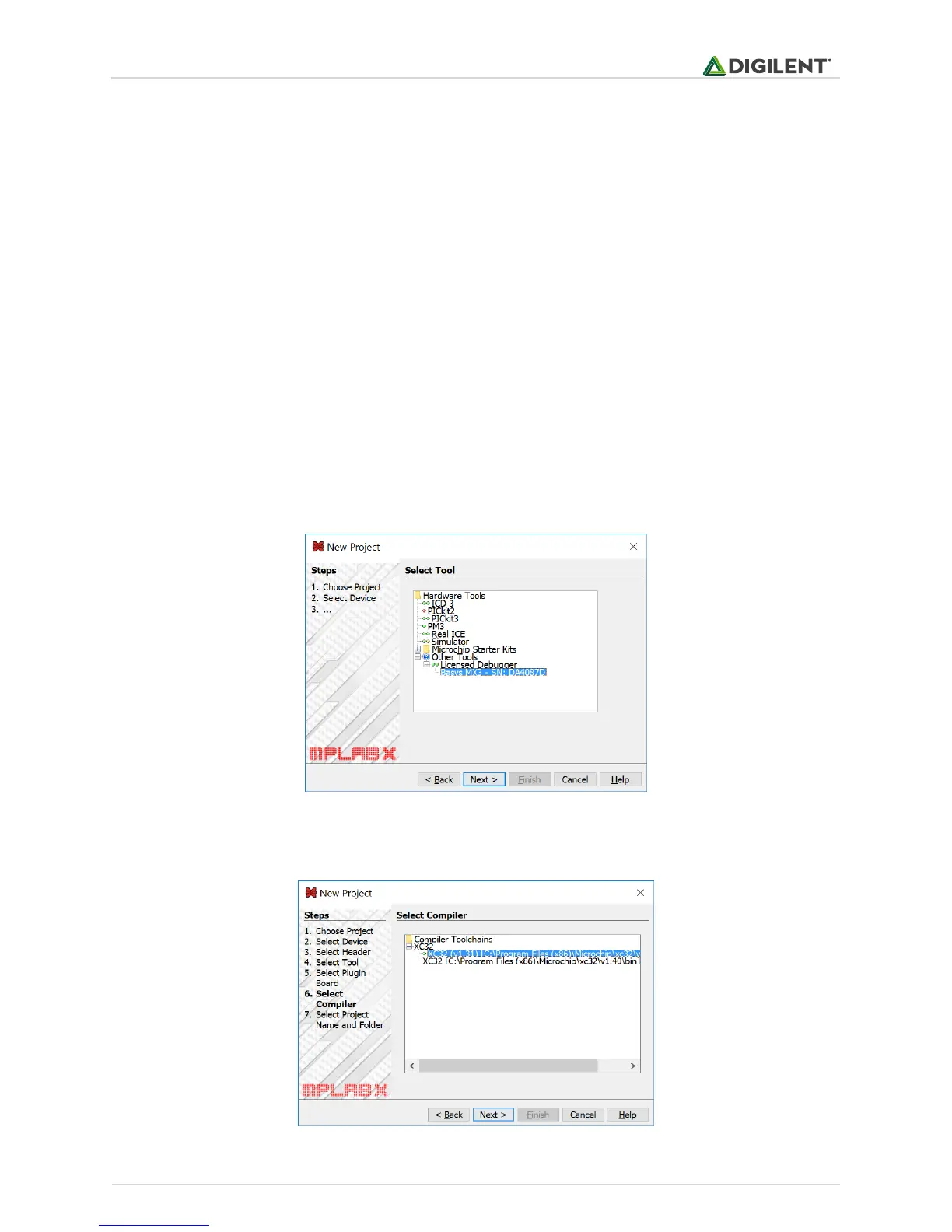
2. Select the programming tool named Basys MX3 corresponding to the board you want to program, under
Licensed Debugger group.
Figure 1.1. MPLAB X tool selection.
3. Select the compiler you want to use.
Figure 1.2. MPLAB X compiler selection.



 To Next Page