47
Graphs - computer
Graphs can be saved and/or printed
from the DigiData Windows program in
a couple of ways. Use Print Graph,
which is a menu item under the File
heading, to print viewed graphs, or save
a graph as a bitmap file (.bmp) to view
in other programs or print from other
programs.
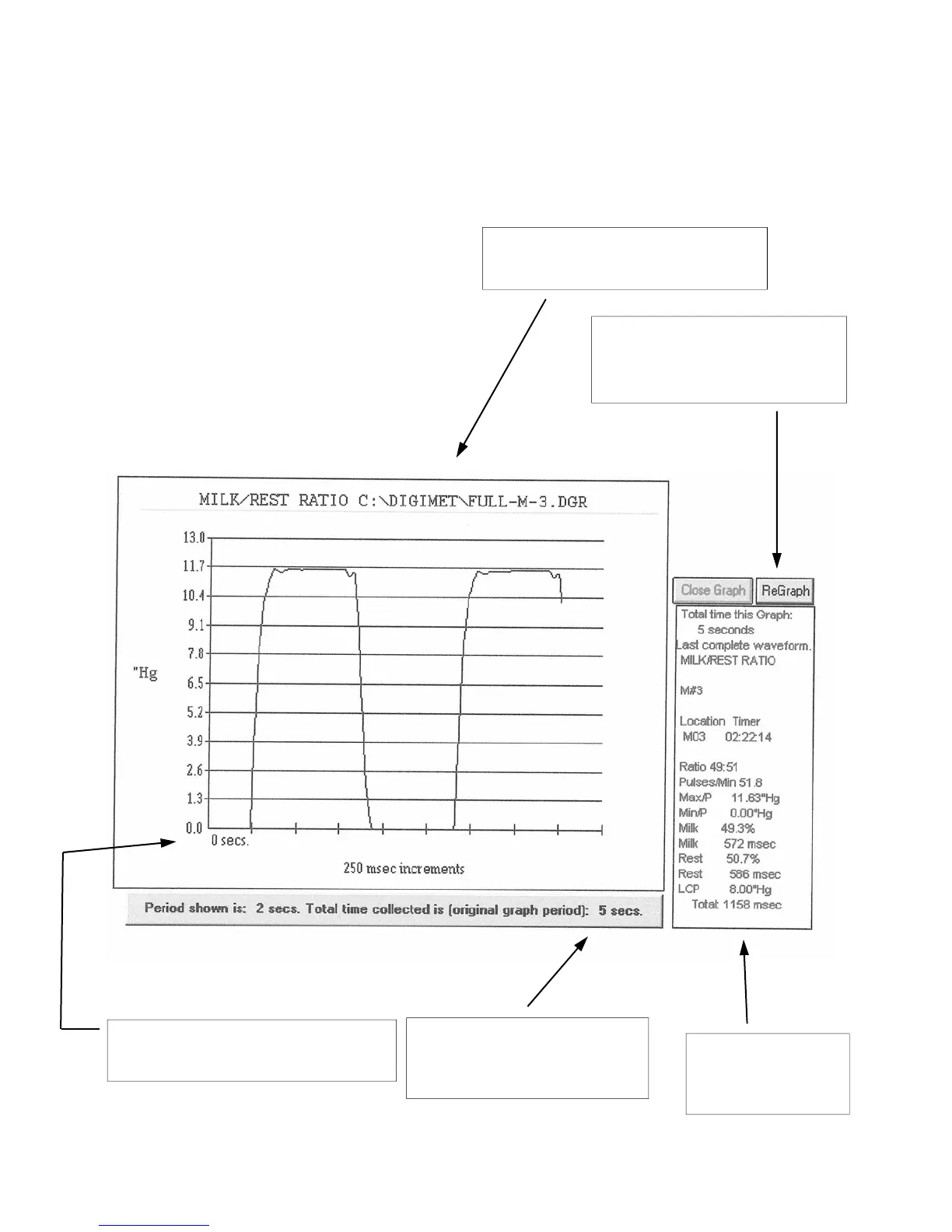
The graph below is a representation of
a viewed and/or printed graph in the
DigiData computer program:
Heading consists of the function
and the saved file name.
Start time is indicated and
increments are 250 milliseconds.
Period of graph shown and
original recorded graph
period are indicated.
If graph parameters are
changed, Regraph will show
the new look of the graph.
Associated data
calculations are
printed here.



 To Next Page