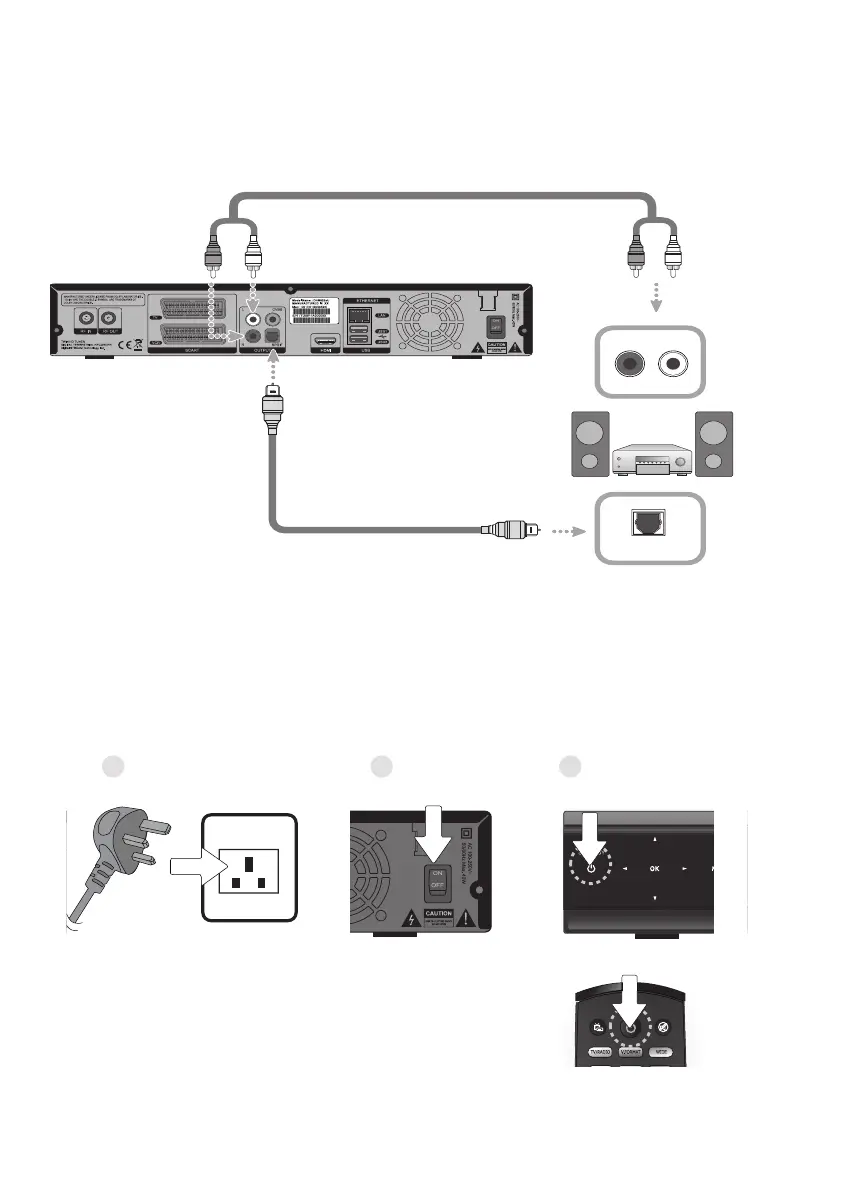
- Using the RCA lead, connect the product and the audio system.
- Using the S/PDIF lead, connect the product and the audio receiver that functions as a digital audio decoder.
SPDIF LEAD
SPDIF
AUDIO LEAD
R L
AUDIO
Connecting the Audio System
When connecting the Audio System, choose the most appropriate procedure for your product as below.
Powering On
1. Plug-in the power of the product to a wall outlet.
2. Switch ON the power switch located on the rear panel of the product.
3. Switch the power of the product by pressing the STANDBY button on the remote control or the STANDBY
button at the front of the product.
21 3
14


 To Next Page