Note:
By pressing the Stop button, the operation will stop and save only the currently
found services.
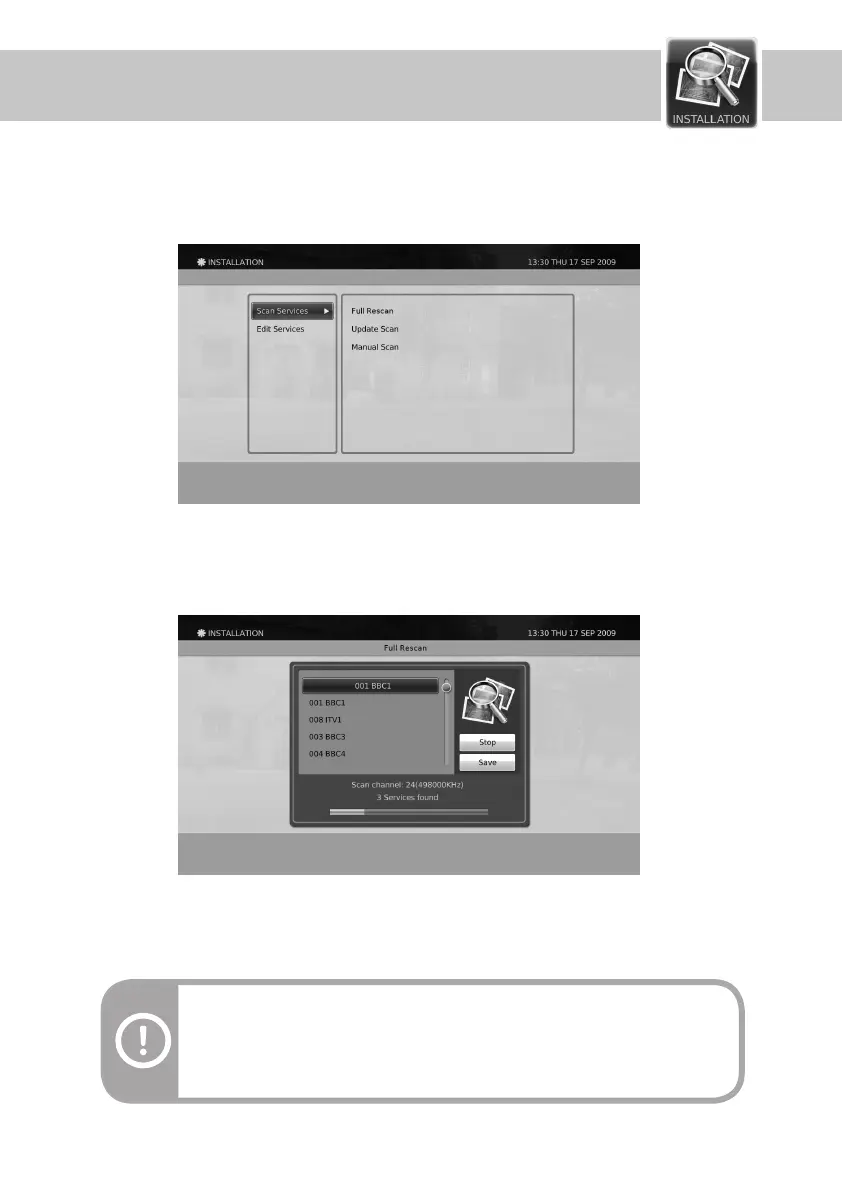
Warning : The Full Rescan will erase the previous service list.
Full Rescan
1. Before starting the process, you will be asked for conrmation.
2. When the Start button is highlighted, press the OK button to start scanning.
3. After the scan operation is nished, it will automatically highlight the Save button. Press OK button to save the
searched services.
1. Press the Menu button.
2. Select Installation using
▲/▼
button and press the OK button.
The Installation menu lets you change the service settings of your Digital PVR product.
Scan Services
The product provides you two types of scanning: Automatic (Full and Update) Scan and Manual Scan.
Installation
44


 To Next Page