Note:
Picture and music les(JPEG or MP3 les) cannot be Locked/Unlocked.
Media
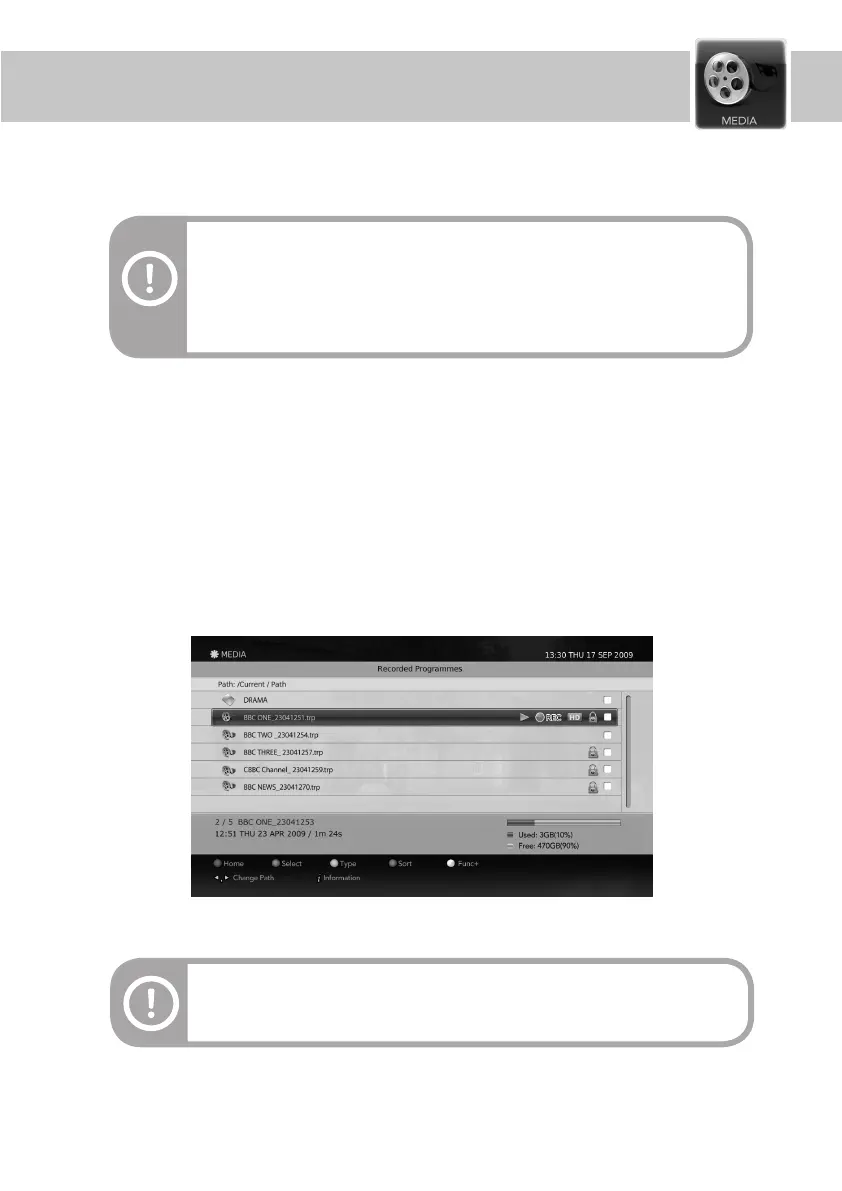
Press the MEDIA button to display the list of the storage media and their contents.
Press the Media button to display the list of media devices and their contents. On the Media screen, select a
media and press the OK button on the remote to play the media. You can also use the P+/P- buttons on the
remote control to move the page up/down.
The Media screen is displayed as follows.
Note:
- The media screen can be also displayed by selecting the MEDIA menu from the
main MENU.
- Recorded programmes are always stored into the built-in HDD. External USB
storages are only for photos and music les.
Information on the Media screen
31


 To Next Page