System Messages
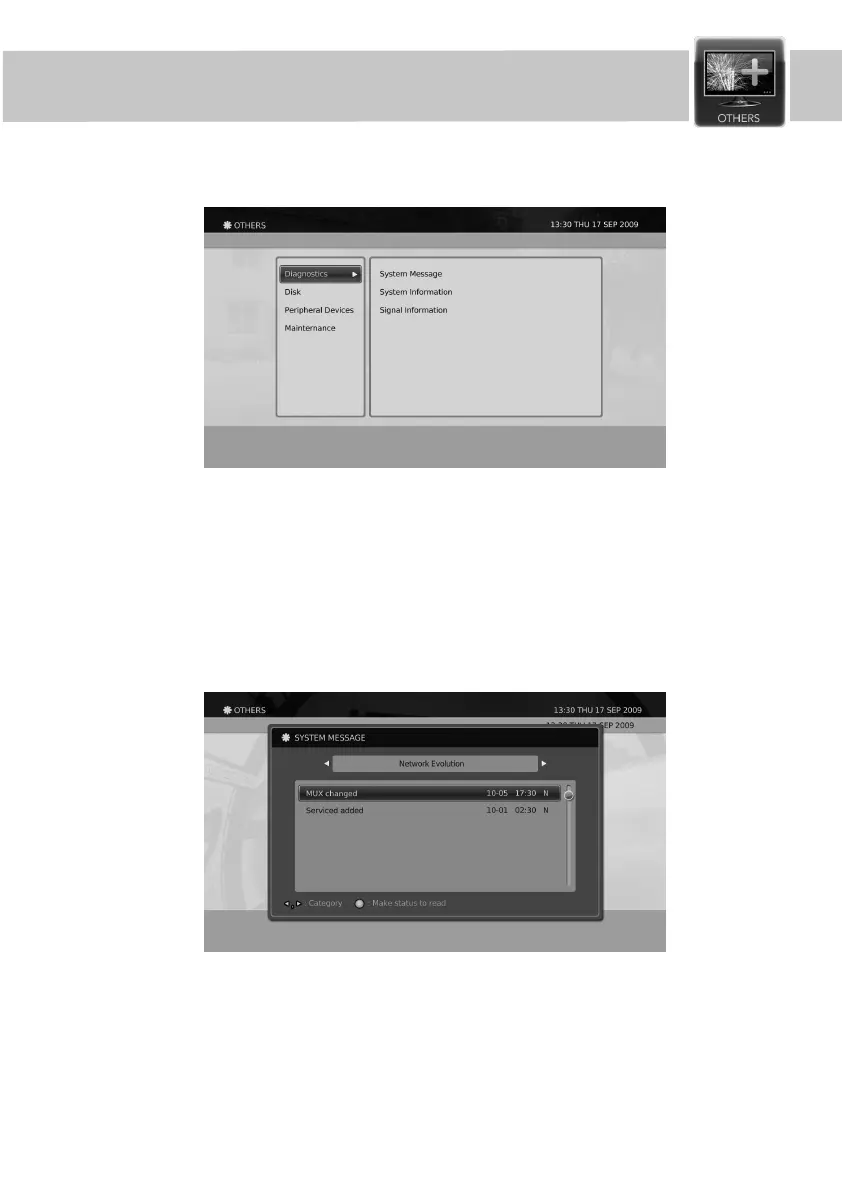
The Diagnostics settings for the product can be set following the below methods.
1. Press the Menu button.
2. Select Others using
◀/▶/▲/▼
button and press the OK button.
3. Select Diagnostics using the
▲/▼
button and press the OK button.
Diagnostics
Others
The System Messages for the product can be viewed following the below methods.
1. Press the Menu button.
2. Select Others using
◀/▶/▲/▼
button and press the OK button.
3. Select System Messages using the
▲/▼
button and press the OK button.
4. You can move to other pages by pressing the
◀/▶
button.
49


 To Next Page