Need help?
Do you have a question about the DigiTech STUDIO 400 and is the answer not in the manual?
Key safety instructions regarding water, power, servicing, and fuses.
Specific warnings for UK mains plug and lithium battery handling.
Details manufacturer, product name, and applicable safety/EMC standards.
Statement of compliance with directives and contact details for distribution.
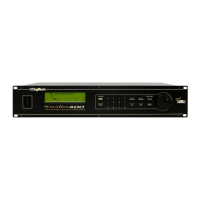
Highlights the Studio 400's main features like inputs, outputs, and S-DISC tech.
Explains how to register and the terms of the product warranty.
Covers manufacturer liability, modification rights, and registered trademarks.
Instructions for unpacking the unit and safely supplying power.
Overview of the Studio 400's front panel controls and their organization.
Explanation of the display's information line, data sections, and meters.
Details the functions of Program, FX Edit, Parameter, and navigation buttons.
Description of all rear panel connectors including audio, MIDI, and footswitch.
How to connect the Studio 400 directly in the audio path.
How to integrate the Studio 400 into a mixer's effects loop.
Setting up aux sends for stereo effect processing.
Configuring the unit for independent processing of multiple signals.
A specific configuration for multi-signal processing.
Explanation of how the bypass feature works across applications.
How to use buttons, indicators, and the display for navigation.
Selecting and loading factory or user programs.
Entering FX Edit mode and navigating effect modules for editing.
Choosing effect types and loading factory default settings.
Step-by-step guide to editing effect parameters.
How to save modified programs and exit edit mode.
Selecting and configuring effect chains and I/O routing.
Introduction to modifiers for dynamic parameter control.
Step-by-step process for assigning parameters to modifiers.
Explains MIDI CCs, LFOs, and Dynamic modifiers for parameter control.
Configuration steps for LFO waveform, speed, and depth.
Configuration steps for dynamic modifier thresholds and source input.
Using the compare function to review edited programs against originals.
Procedure for saving edited programs and assigning custom names.
Explanation of module sizes and resource division.
Description of Mono, Dual, and Stereo FX Module types.
Guidance on interpreting the detailed parameter charts.
A comprehensive list of all available effects.
Detailed description of the five basic reverb types.
Controls for input, dry signal, and stereo balance in reverbs.
Parameters for selecting reverb type, controlling reflections, and smoothness.
Controls for crossover frequency, type, and high-frequency dampening.
Parameters related to blend, decay time, room size, and reflectivity.
Controls for delay taps, output levels, and feedback within reverb effects.
How chorus and flanger effects use LFO modulation.
Visual representation of available LFO waveforms.
Detailed parameters for the flanger effect, including speed, depth, and feedback.
Detailed parameters for the chorus effect, including depth, wander, and delay.
Detailed parameters for the phaser effect, including speed, depth, and feedback.
Parameters for emulating rotary speakers and LFO-based modulation.
Parameters for pitch detuning and creating subtle pitch shifts.
Parameters for creating multiple pitch-shifted voices and harmonies.
Controls for pitch intervals, detuning, and harmony settings.
Parameters for controlling output levels and stereo placement.
Detailed parameters for delay time, feedback, tap tempo, and output levels.
Overview of EQ modules and parameters like level, phase, and frequency.
Controls for shelving EQ and parametric band adjustments.
Controls for threshold, attenuation, and delay in noise gating.
Controls for compressor threshold, ratio, gain, attack, and release.
Details on combining effects like Chorus/Delay and Flange/Delay.
Methods for optimizing input signal levels for optimal recording.
Guide to entering the Utility menu for global settings.
How to modify display contrast for readability.
Configuring MIDI channels and remapping programs for MIDI control.
Setting SysEx channels and enabling MIDI data merging.
Steps to back up or transfer single programs via MIDI.
Dumping all factory and user programs simultaneously.
Dumping system settings and input levels.
Configuration for automatically loading programs upon selection.
Restoring the Studio 400 to its original factory settings.
How to modify the reference note for pitch shifting harmonies.
Technical details of MIDI message transmission and recognition.
A list of available effects and their default settings.
Diagrams illustrating various effect module routing configurations.
A categorized list of effect block configurations.
Lists factory programs for classic reverbs, ambient, and multi-effects.
Lists factory programs for modulation, morphing, delay, special, and spatial effects.
Lists configurations for effect samplers and various reverb types.
Details on converter types, DSP capabilities, and data path widths.
Information on connectors, levels, frequency response, dimensions, and weight.
Charts showing intervals for various musical scales and modes.
Reference for scale types, intervals, and common musical references.
A designated section for users to write personal notes.
 General
| Sample Rate | 44.1kHz |
|---|---|
| Digital I/O | S/PDIF |
| Input Channels | 2 |
| Output Channels | 2 |
| Model | STUDIO 400 |
| Category | Computer Hardware |
| Effects | Reverb, Delay, Chorus, Flanger, Pitch Shift, EQ |

 To Next Page