15
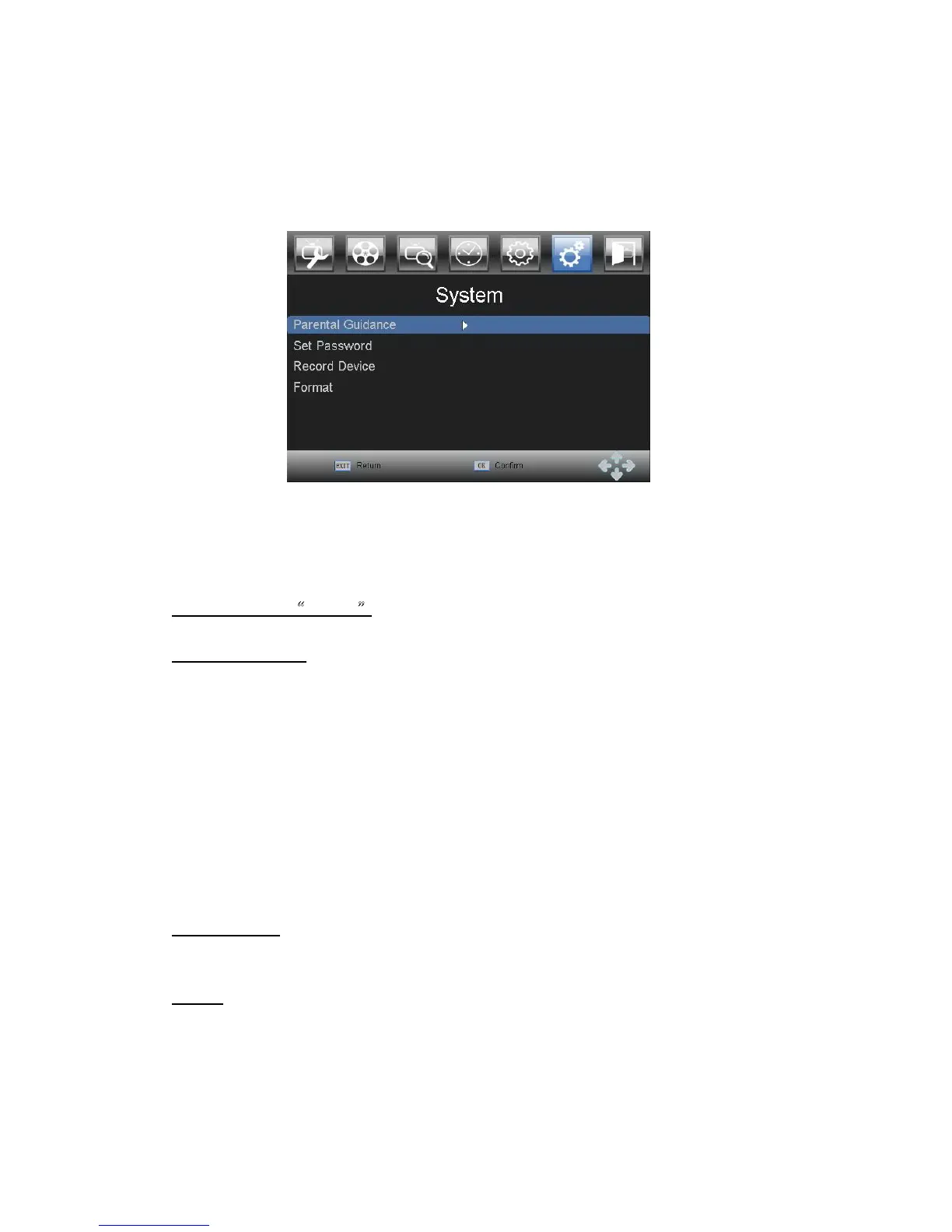
3.7 System
Press MENU and select System using LEFT and RIGHT buttons. Press OK or DOWN
button to edit system. Press EXIT to exit the menu.
The menu provides options to adjust the system settings.
Press UP and DOWN to select an
option and press OK to adjust the setting. Press EXIT to exit the menu.
Initial password:
“
000000
”
Parental guidance:
You can restrict access to programs that are unsuitable for children below the set age. To
restrict/lock the channel you will need to enter either the default password. This function
depends from broadcaster. It will work only if broadcaster assigns morality levels to the
programs according to standards.
Set Password
Set or change the password for locked programs and menu access. Enter your old
password or the default password ‘000000’. You will then be asked to enter your new
password. To confirm re-enter your new password. Once it is confirmed, press
EXIT
to
exit the menu.
Record device:
You can choose the disk partition for recording.
Format
You can choose the disk partition to format with FAT32/NTFS.
We suggest you use FAT32.



 To Next Page