25
7. Music Menu
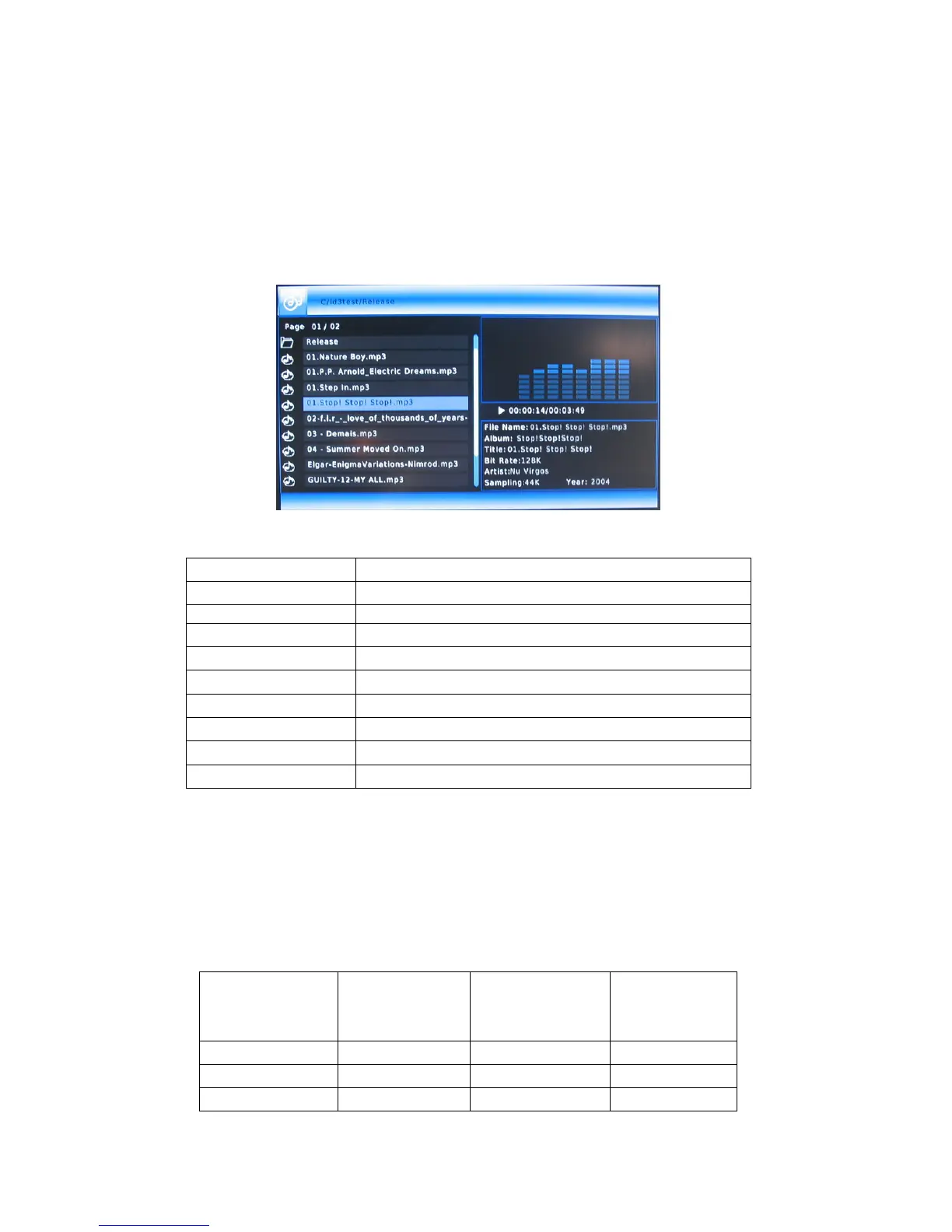
7.1 Enjoy music
Enter the folder press UP and DOWN button, to select the file you want to view and
press OK button to play.
1).Introduce
►||
Play/pause
■
Stop
PG. up/ PG. down Page up/ Page down
◄◄
/
►►
Fast Rewind/ Fast forward
|
◄◄
/
►►
|
Previous / Next
VOL+/VOL--
Increase/ decrease the volume.
GOTO Go to the time you choose and play
Repeat Press to set repeat option.
B.G.M To select files and go to background music menu
Left/ Right Select all / one
2). Information
Display file name, type, Album, Title, Bit Rate, Artist, Samping, Year, total time,
current time, audio track, information.
3). File formats and specifications:
Specifications
File format
Sampling Bit Rate
Sound
Channels
WMA 8K-48KHz 32K-320Kbps Mono, Stereo
MP3 8K-48KHz 32K-320Kbps Mono, Stereo
M4A(AAC) 16K-48KHz 32K-192Kbps Mono, Stereo



 To Next Page