EasyManua.ls Logo

Digitel+ HD3300 - Electronic Program Guide (EPG)

Digitel+ HD3300
40 pages
Print Icon
To Next Page IconTo Next Page
To Previous Page IconTo Previous Page
Loading...
18
4.4
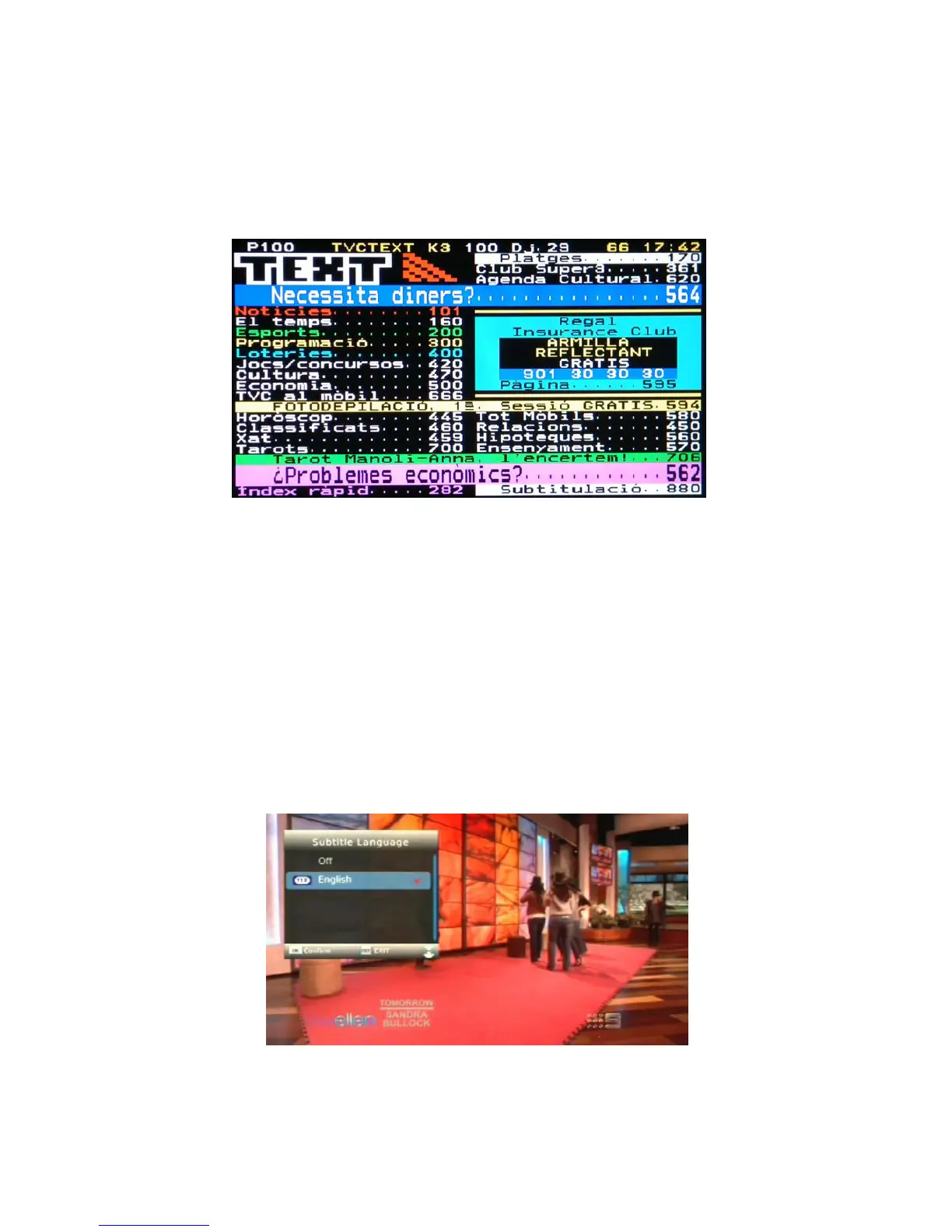
Teletext
Menu
TTX
If
the
broadcasted
stream
supports
Teletext,
press
the
TTX
button
to
enter
the
Teletext
menu.
Press
the
INDEX, MIX
,
HOLD
,
SIZE
,
CLOCK
buttons and four color buttons
to
operate
the
content
in
the
Teletext
menu Press
the
INDEX
and
MIX
buttons
to
view
the
content
in
the
Teletext
menu
4.5
Subtitle
List
Menu
If there are multi-subtitlesp
ress
the
BLUE
SUBTITLE
button
when
watching
DVB-T
TV
programs,
the
Subtitle
List
menu
will
be displayed.
Press
the
button
to
switch
between
on subtitle and off subtitle all the channels.
Press
the
UP
/
DOWN
button
to
select
the
subtitle,
press
the
OK
button
to
confirm.
If
the subtitle content is available for the current TV program.