10
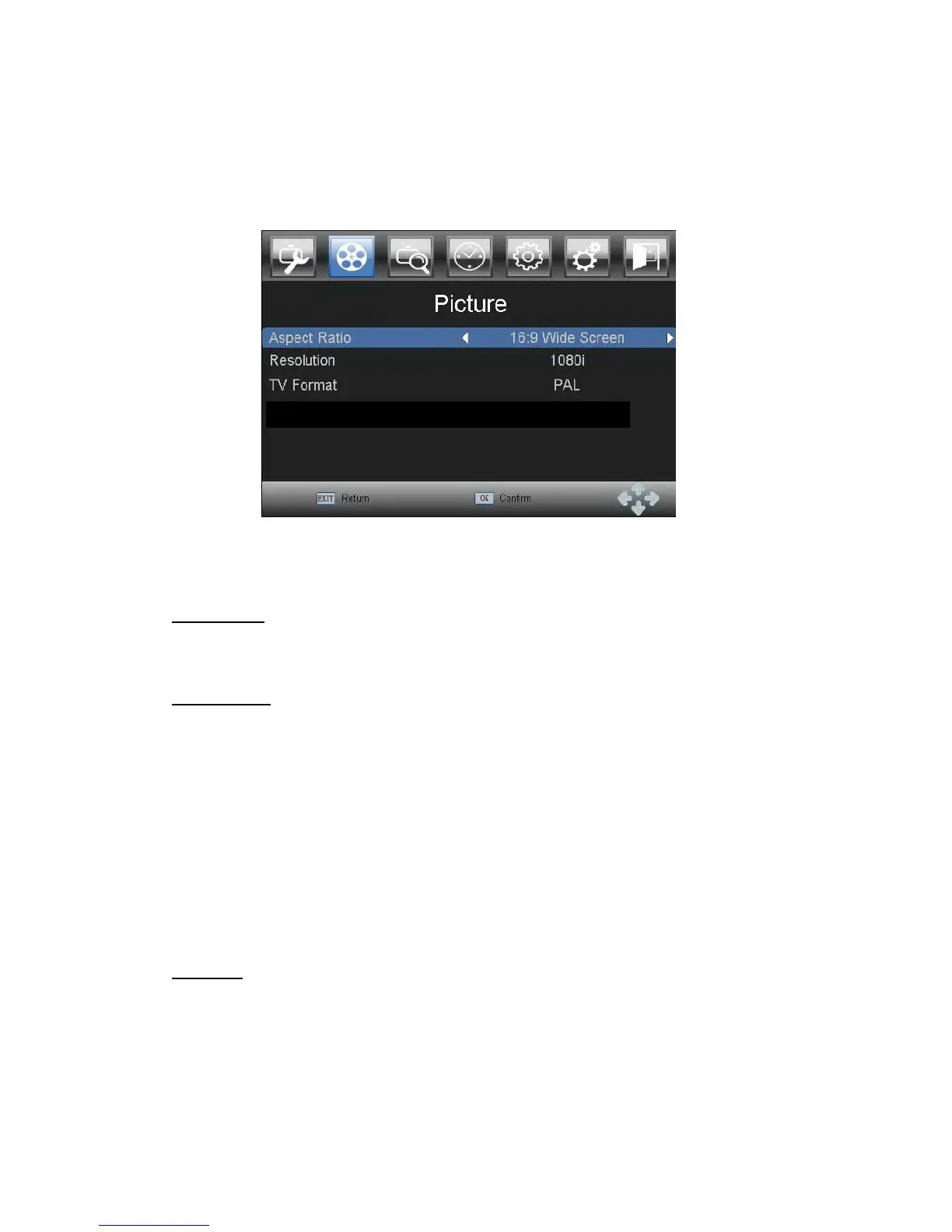
3.3 Picture
Press
MENU
and select PICTURE using LEFT and RIGHT buttons. Press OK
DOWN
or
button to edit picture settings. Press EXIT to exit the menu.
In
the
mode,
Press UP and DOWN to select an option and press LEFT and RIGHT to adjust
the setting. Press EXIT to exit the menu.
Aspect Ratio
You can set the display format to either 4:3 Pan Scan, 4:3 Letter Box, 16:9 Full Screen or
Auto to get the maximum display when watching TV.
RESOLUTION
If the video does not appear correctly, change the setting. These settings match the most
common settings for HDMI.
480i: for NTSC system TV.
480P: for NTSC system TV.
576i: for PAL system TV.
576P: for PAL system TV.
720P: for NTSC or PAL system TV.
1080I: for NTSC or PAL system TV.
Notice
:
you can change the video output format directly from view mode by pressing the
TV.SYSTEM
button on the remote control.
TV format
If the video does not appear correctly, you need to change the settings. This should
match the most common setting for TVs in your country.
NTSC: for NTSC system TV. PAL: for PAL system TV.



 To Next Page