9
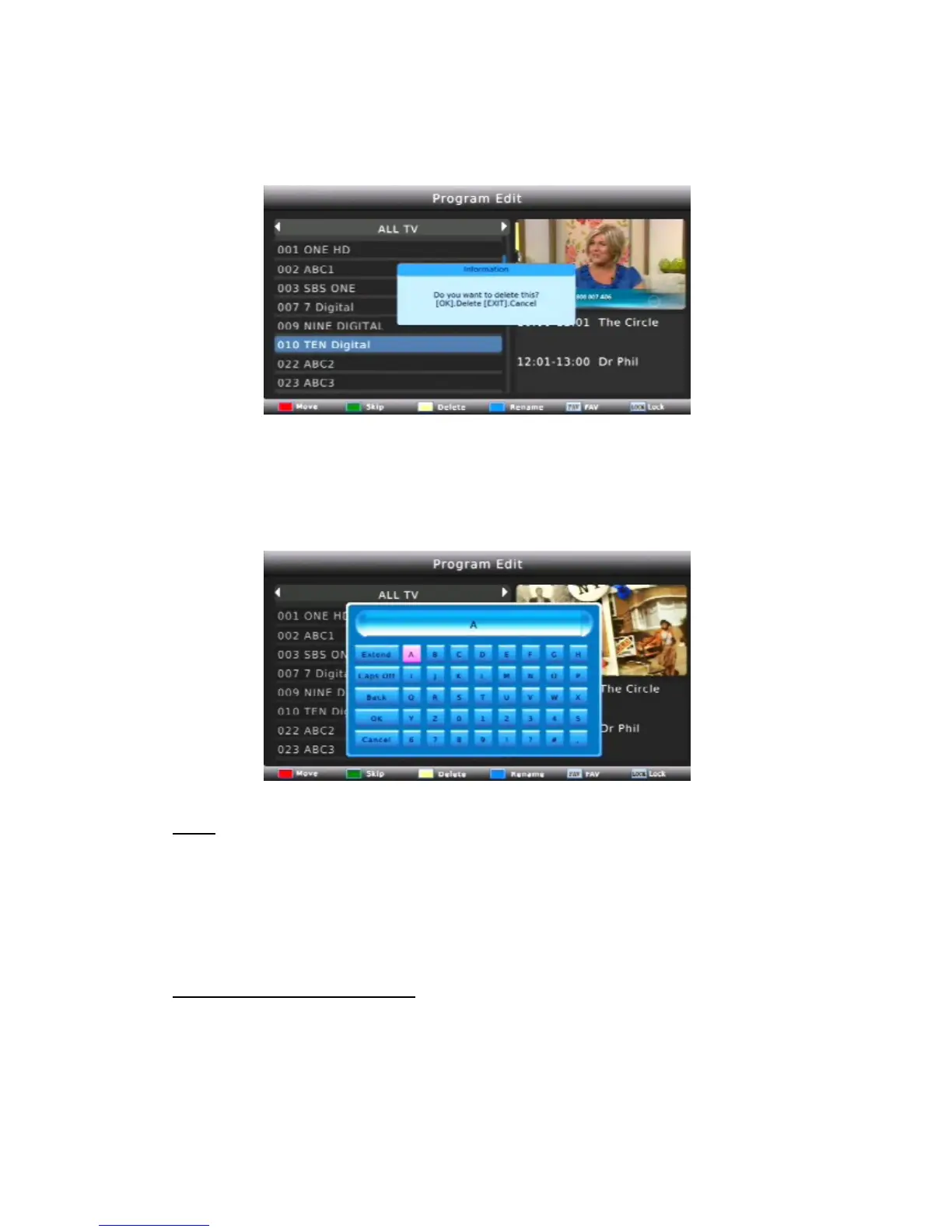
DELETE
Select the program and then press the YELLOW button. A message will appear. A
message will appear. Press OK to delete the program or EXIT to cancel.
RENAME
Press the BLUE button to rename the channel. A message will appear. Select the name,
press OK to confirm.
SORT
Sort your channels from the following options:
By LCN: Sort the channels in channel number order (ascending)
By ONID: Sort the channels in order of Network ID (Broadcaster ID)
By Service:Name Sort the channels in alphabetical order
Service ID:Sort the channels according to the station
LCN (logical Channel numbering)
Set LCN ON or OFF.



 To Next Page