2
2.
About product
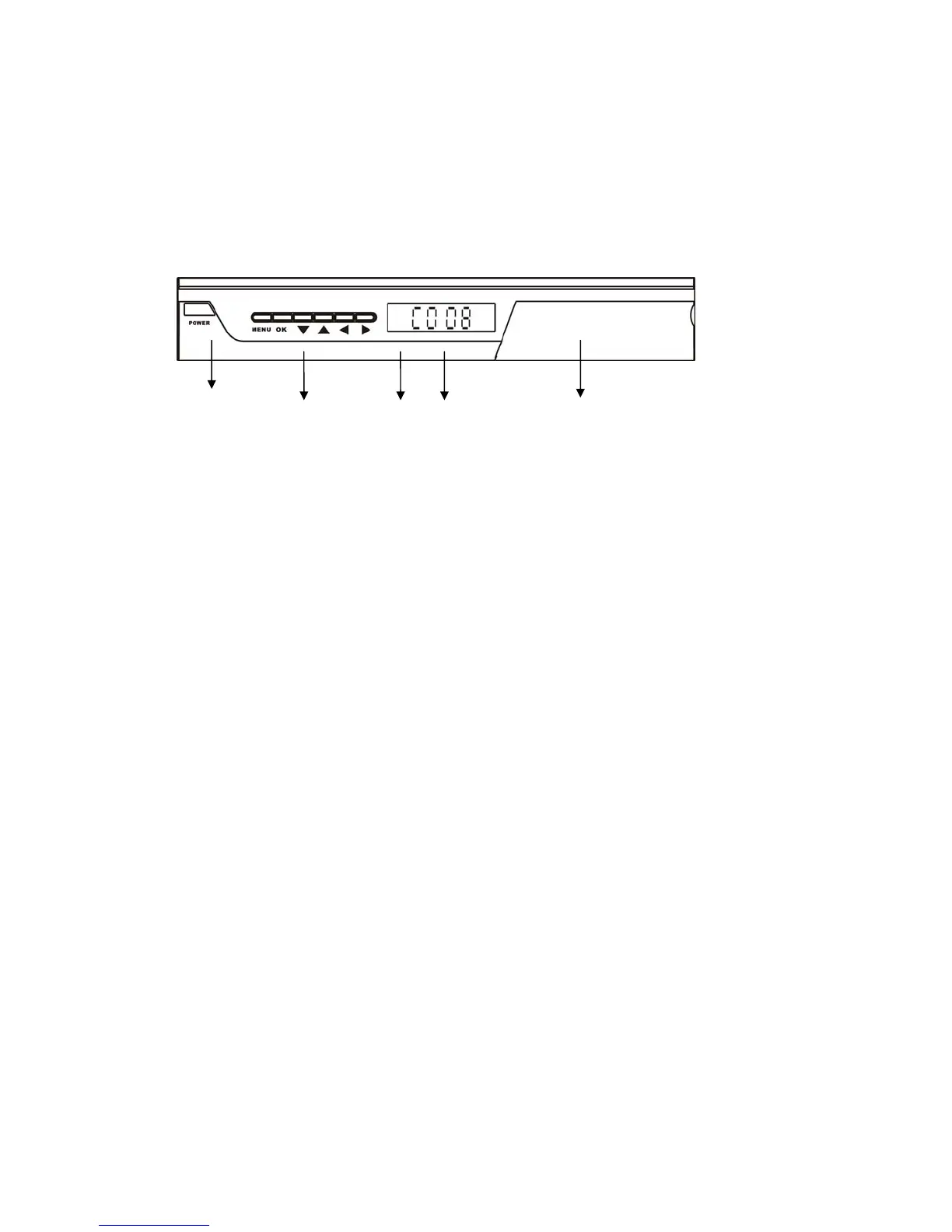
2.1 Front Panel
① ② ③ ④ ⑤
1 Power Switch: To turn ON/OFF the main power supply.
2 MENU/OK/LEFT/RIGHT/UP/DOWN BUTTON.
3 Remote control sensor: Receives the signal from the remote control.
4 LED Display: Shows channel number and current time while standby.
5 USB Port inside (Behind Flap on Front Panel).
2.2 Remote Control Unit
1 POWER:Switch the receiver on and off
2 MUTE: Turn off/on the volume
3 TV/RADIO:Switch between TV and Radio
4 SLEEP: Timer to standby /display left time
5 PVRLIST: Switch to recorded file list
6 INFO: Show information of current channel or multimedia
7 FAV: Open the Favourite list
8 REC: Record the TV program
9 BOOK: Switch to schedule menu
10 LOCK: Lock the TV program in program edit menu
◄◄/►►: Fast Rewind/ Fast forward
11 TIMESHIFT: Timeshift the TV program
►||: Play/pause
12 Subtitle: On/Off Subtitle or select subtitle type
-/--: -/-- options
13 ■: Stop program playback or recording or timeshift
14 CLOCK: Refresh time in TTX
Switch to previous channel
15 VOL+/-: Decrease or increase the volume
16 AUDIO: Select audio mode and audio track
17 EXIT: Switch to previous menu
18 CH+/-: Channel Up and Down
PG.UP/PG.DOWN: Page up/page down
19 : Navigation keys
20 OK: Confirm a selection within a menu
Select file to play
Activate DTV/RADIO program list
21 MENU: Activate DTV main menus



 To Next Page