8
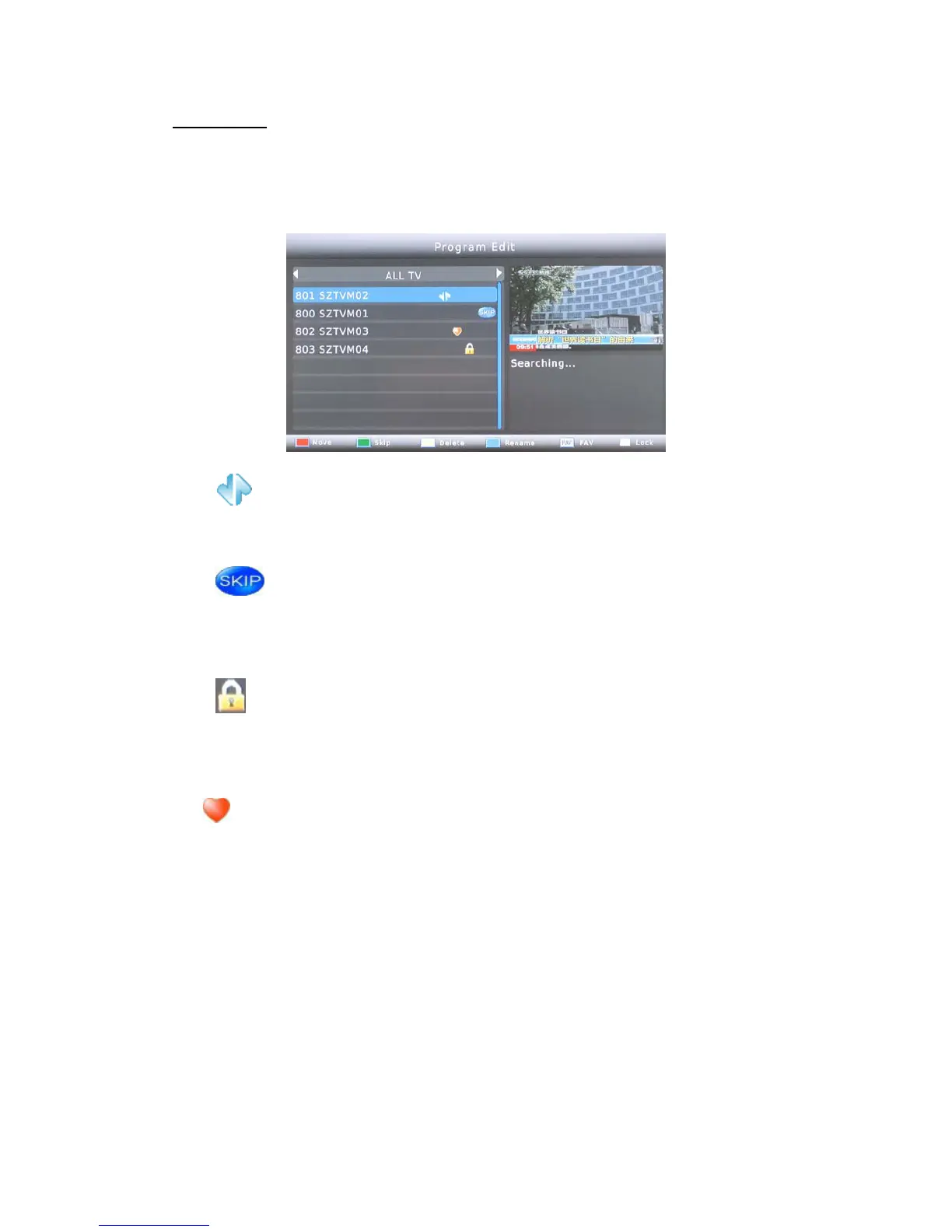
To edit your program preferences (lock, skip, favourite, move or delete), please go to
program Edit. This Menu requires a password to access. Enter your password or use the
default password '000000' if you did not change it.
MOVE
Select the preferred program then press the RED button. A move symbol will appear.
Press UP and DOWN to move the program. Press OK to confirm
SKIP
Select the program you would like to skip and press the GREEN button. The program will
be marked to skip. The receiver will skip this program while zapping between programs in
normal viewing mode.
LOCK
Select the preferred program then press the LOCK button. The program is now marked as
locked. To view the locked program in normal viewing mode, you need to enter the
password.
FAV
You can create a shortlist of favourite programs that you can easily access.
Select the preferred program then press the FAV button. A heart-shaped symbol will
appear and the program is marked as a favorites.
In DTV mode (no menu mode), press the FAV button to display a list of favorite programs
under the classification decided by you (e.g. Sport, News, Educational etc.).
Program Edit



 To Next Page