Steps For Using The Debug Monitor Digitize Inc.
10
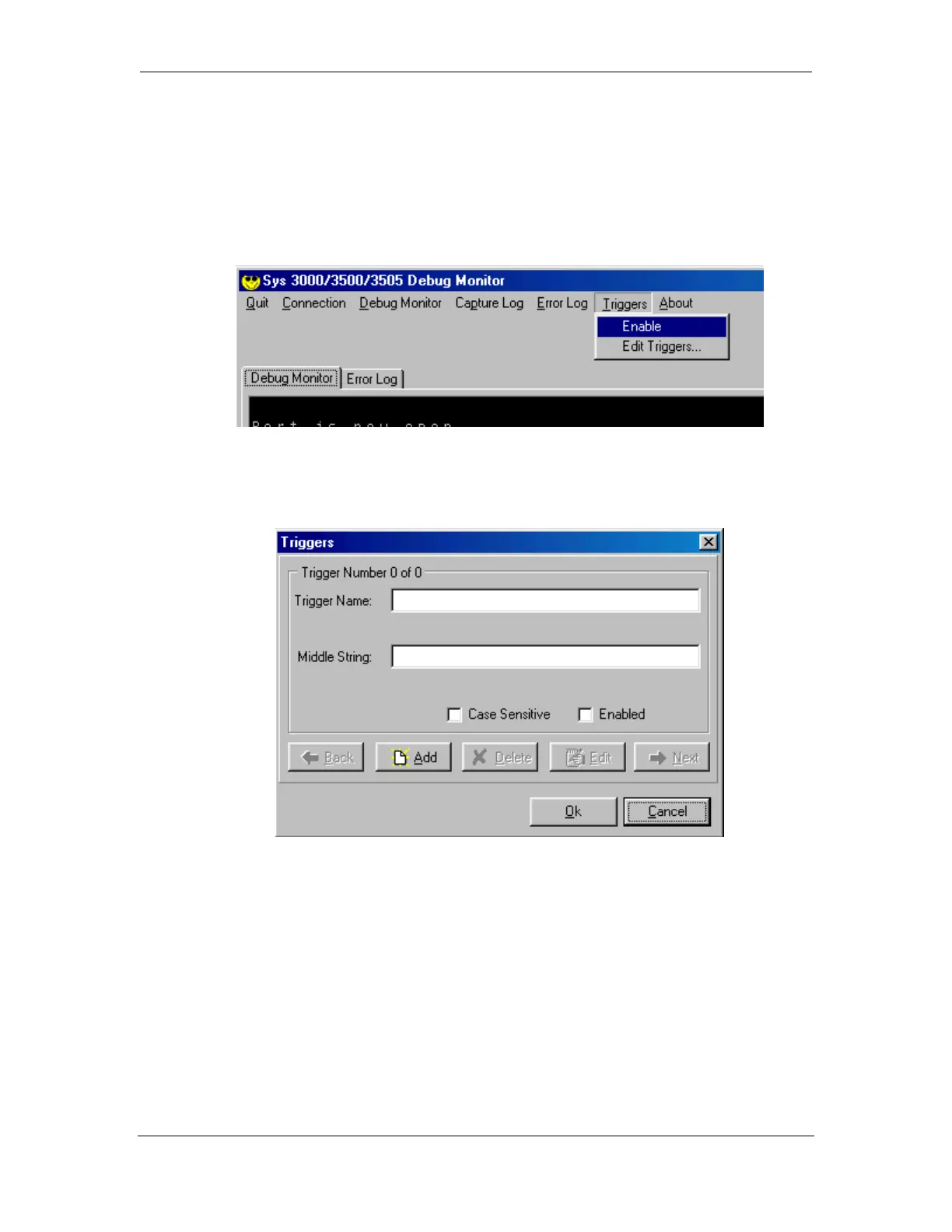
To demonstrate the Triggers, the following example:
Select the Edit Triggers menu as shown.
Click on the “Add” button.
Next, enter “TEST” for Trigger Name and “VER:” for Middle String. Select the
“Enabled” box, the hit OK to close the “Edit Trigger” box. Hit OK again to close the
“Trigger” box.



 To Next Page