Functional description
www.dilo-gmbh.com | 0500.bae
Evacuation of air from the gas compartment
Evacuation at port 101:
To avoid mixing of ambient air with SF
6
gas the gas compartment must be evacuated beforehand.
1. Connect the gas compartment to pos. 101.
If there is gas overpressure (pressure indication on the operating panel) the gas must
be recovered beforehand (see “Removal and storage of SF
6
“)
2. Open the filling pressure reducer pos. 181 (max. filling pressure).
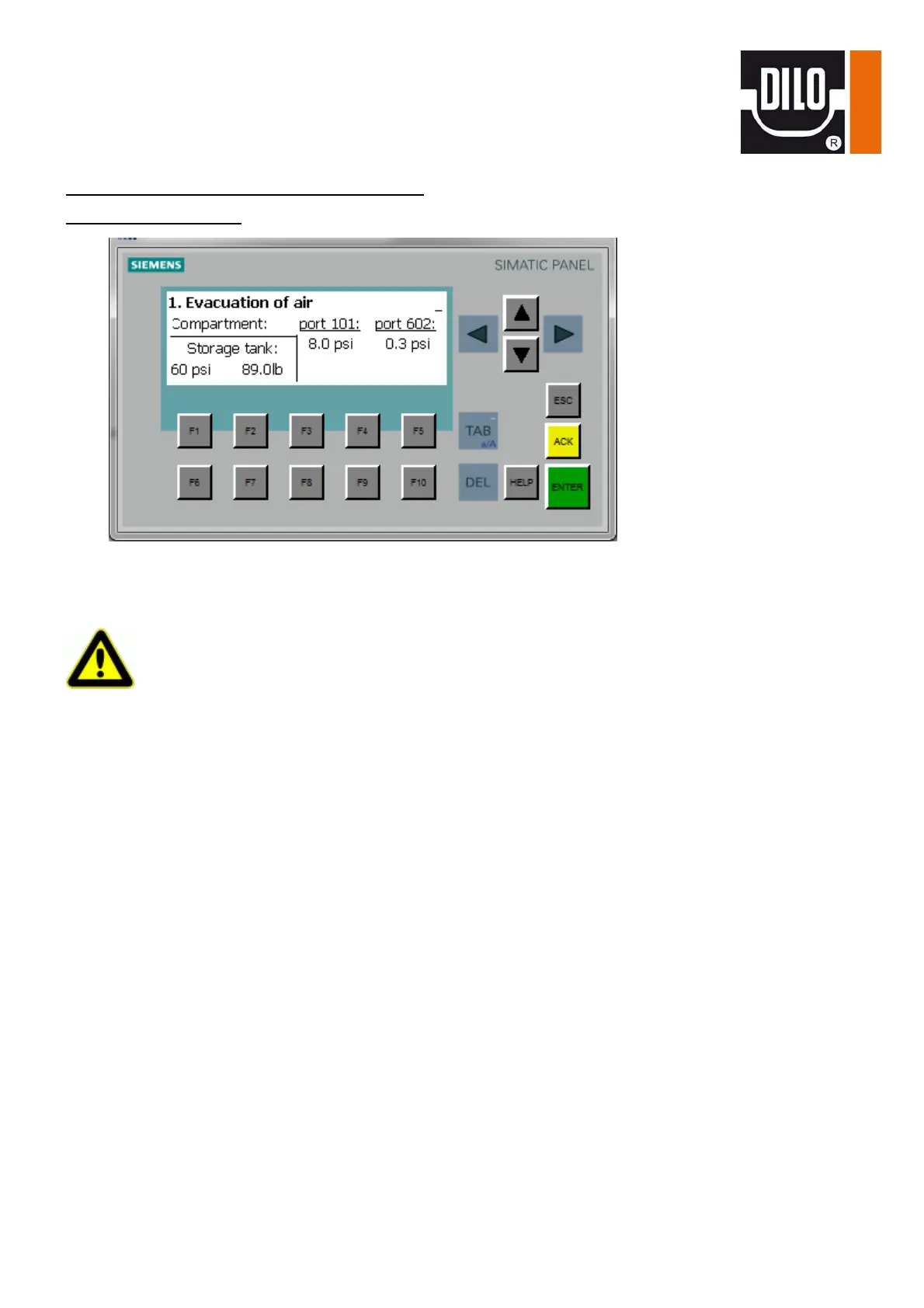
3. Select the “Evacuation of air” function by means of the knob switch.
4. Start the evacuation function by pressing the green “I“ key. If there is a too high pressure on the
valve upstream from the vacuum pump the solenoid valve does not open. An error message is
indicated on the operating panel. Reduce the overpressure as described in the “Removal and
storage of SF
6
-gas“ chapter.
5. After having reached the set final vacuum the function stops automatically and the ‘vacuum test’
message appears.
6. In case the vacuum (during the holding time) is lower than the input value, the “function
completed“ message appears.
If the vacuum (during the holding time) exceeds the input value the “vacuum rise” message
appears.
7. Press the red “0“ key and the “function completed“ respectively the “vacuum rise” message
disappears.


 To Next Page