Functional description
www.dilo-gmbh.com | 0500.bae
Starting the SF
6
/ CF
4
mixing unit
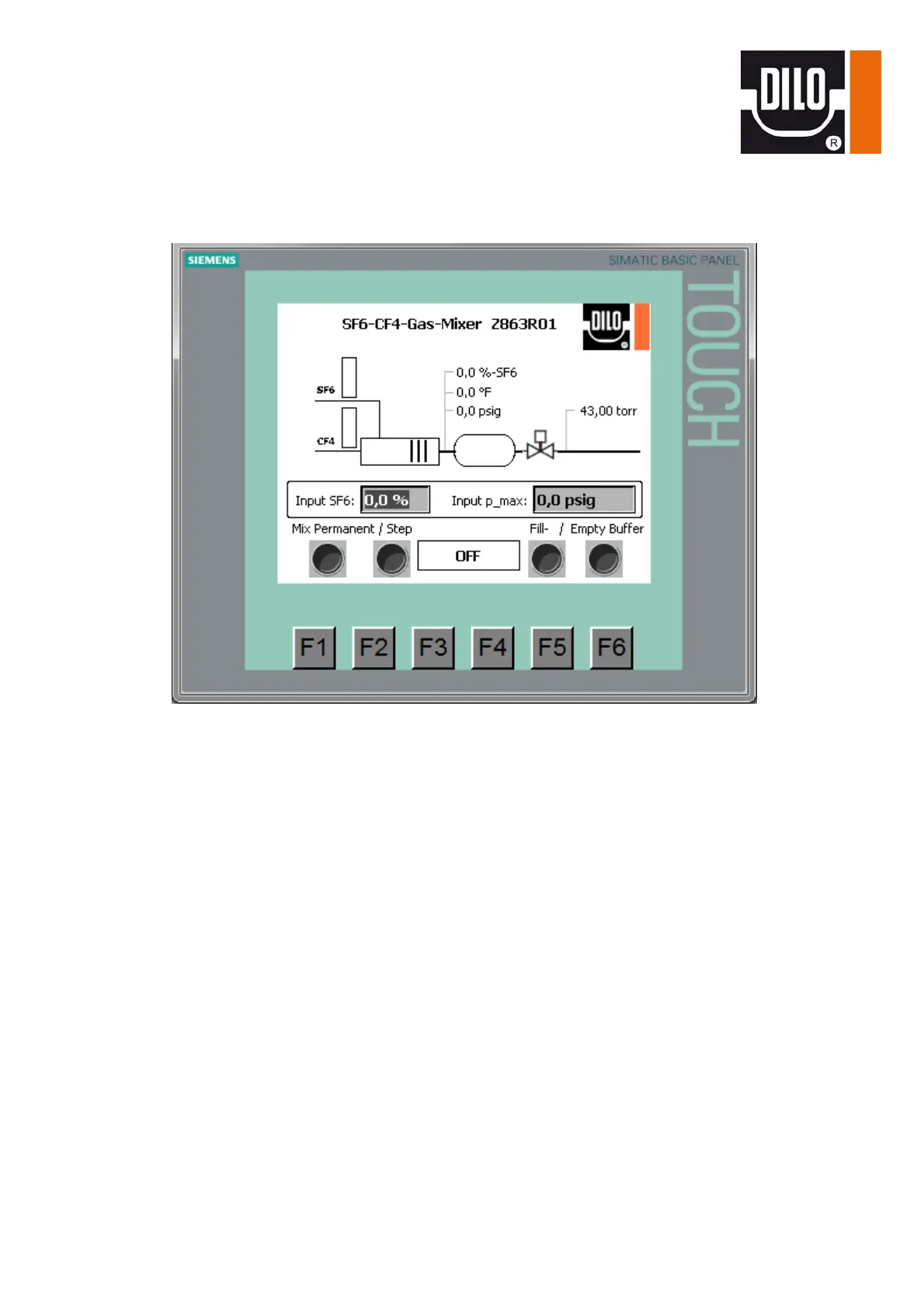
If the device is started the operating menu appears.
On the graphic illustration there is a bar graph for opening the control valves for SF
6
and CF
4
on the left
side.
The mixing cell and the mixing tank with their SF
6
-percentage, pressure and temperature indications are
illustrated in the middle of the screen. Downstream from the valve pos. 607 there is a vacuum indication
for the mixing tank. When starting the mixing process a small animation is generated on the screen. The
pressure indications are in effective pressure.
The desired SF
6
-percentage “Input SF
6
-%“, as well as the max. filling pressure on the storage tank side
“Input p_max.“ are entered into the framed part of the illustration. This is done by touching the input field
and the dialog box opens for the input of numbers. After completion of the input confirm with “Return”
and the input field is closed again.
The input range for the SF
6
-percentage is from 10– 80 vol. percent. The max.filling pressure is 580 psig.
In the lower field there are 4 switches for the main functions of the device:
“Mix Permanent“ permanent mixing is carried out.
This is only applicable for large gas quantities (as from 5 norm m³).
“Mix Step“ mixing step-by-step for small gas quantities is carried out.
“Fill Buffer“ for pre- filling the buffer with the required gas mixture
“Empty Buffer“ empties the buffer tank by means of the compressor to the outlet
The switches are started or stopped by pressing. In the middle there is a status indication which can
output different conditions e. g. Breakdown, Run, Off, End or Lack of gas.
In case of errors an additional error window with a plaintext message appears.
(e. g. overpressure compressor)


 To Next Page