14
Press POWER to turn off
your device. If device turns
off, continue with step 9.
If it does not turn off, press
and release SAT to
switch modes. Select No
on screen and repeat steps
7 and 8 for the next code.
Using the remote, turn the
device on and try some
other remote buttons to
make sure they work.
When nished, press and
release SAT to switch
modes.
If the code worked for
other buttons, select Yes
and continue to step 11.
If the code did not work,
select No and repeat steps
6 through 9 for the next
code for the brand of your
device.
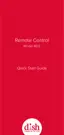
On the Home screen,
conrm that the device’s
brand name is in
parentheses after a four-
digit code.
Programming Remote to
Control Another Device, con’t.
Scanning the Remote Database,
continued
8
9
10













 To Next Page