16
Placing Remote in Limited
Mode
Limited Mode locks out all the device mode
operations except for the device’s power, Mute, and
Volume. This prevents you from accidentally tuning
away from satellite programming.
Note: Limited Mode cannot be used with audio
ampliers.
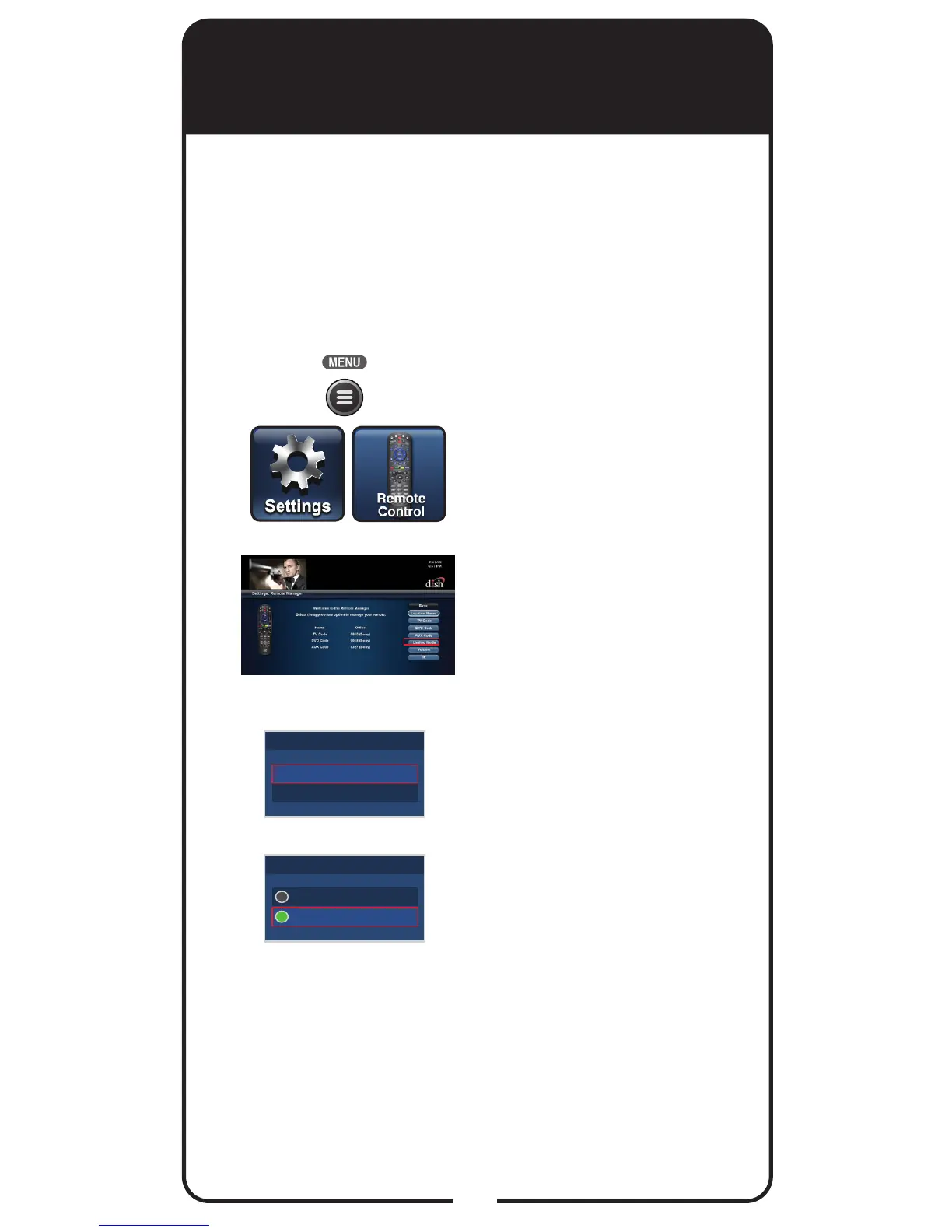
Press MENU, select
Settings tile, and then
select Remote Control.
Select the Limited Mode
option.
Use the arrow button to
highlight Enabled and
then select it. Highlight and
select Save.
To take the remote out of
Limited Mode, highlight
Disabled instead of
Enabled in step 3.
1
2
3
Enabled
Disabled
Limited Mode
Enabled
Disabled
Limited Mode













 To Next Page