1
Conguring the 40.0 Remote
1
2
3
4
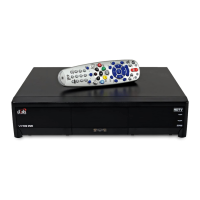
Conrm your remote has the
green number 1 key installed.
Pull the remote battery cover off.
If your remote has a blank,
black key, continue to Insert the
Batteries on page 2.
Separate the key from the
remote by inserting your
thumbnail or a coin in the crease.
Remove the key by grasping at
the bottom.
Insert the key face up and slide
into place.
5
Note: If you are using the green TV1 key that comes
installed in your remote, skip these steps. Go to Insert
the Batteries (page 2).













 To Next Page