18
Avoiding RF Interference
Because your remote control uses UHF-2G radio
frequencies, you might experience interference
from certain other devices transmitting nearby. The
instructions in this section describe how to avoid such
conicts.
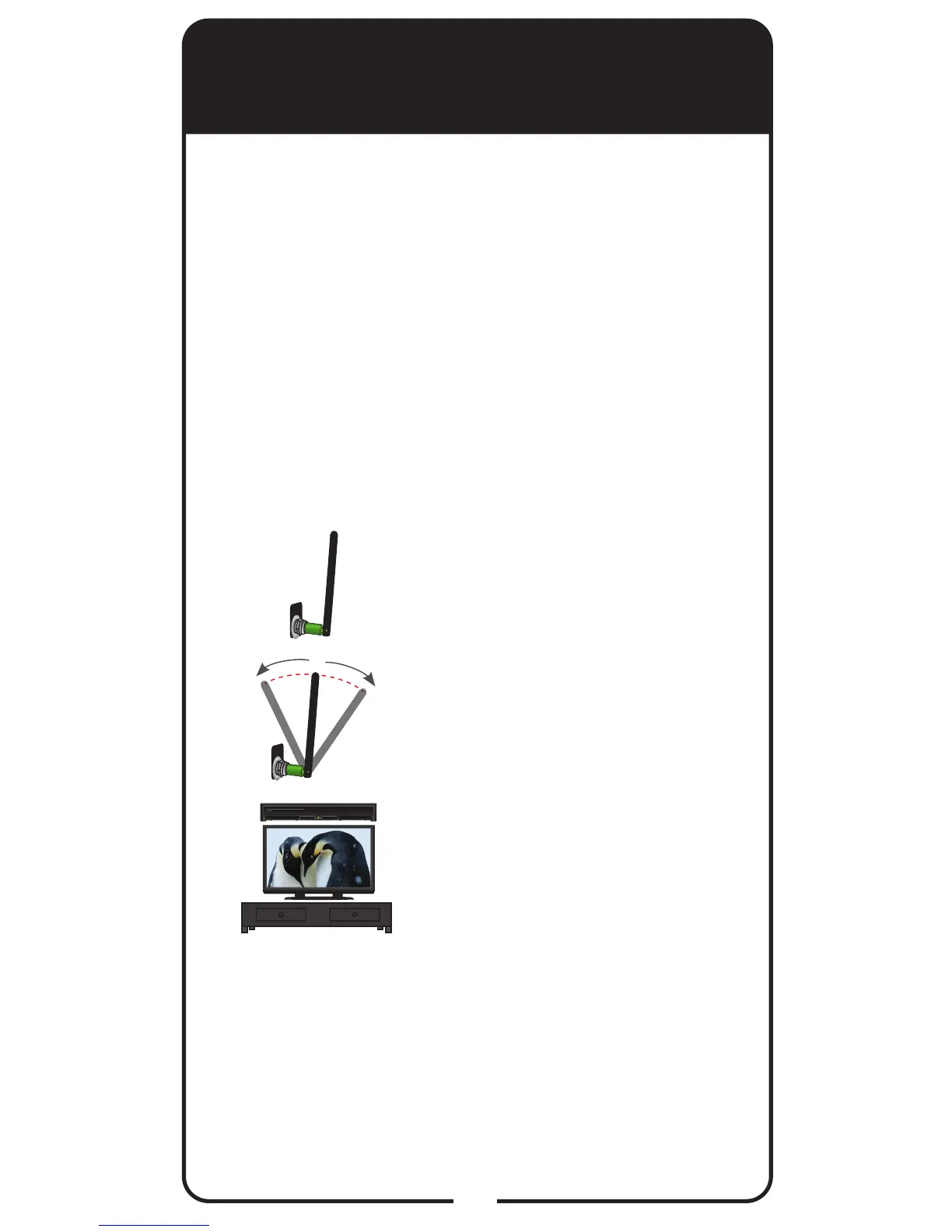
Ensure the UHF-2G remote
antenna is connected to the correct
input on the receiver’s back panel
and is not touching anything.
Tighten only by hand.
Vary the tilt angle of the receiver’s
remote antenna, locating the
antenna’s tip away from any other
electronic equipment or metal
surfaces, even if separated by
wooden shelving.
Move the receiver to a different
location. Place the receiver on
as high a surface as possible,
above all other equipment in your
entertainment center.
Use the optionally available special
cable to connect the remote
antenna to the receiver and place it
away from other equipment.
Move any nearby antenna or radio
equipment away from the UHF-
2G remote antenna. Do not place
an over-the-air antenna, WiFi,
Bluetooth, or Zigbee devices on or
near the remote antenna.
2
3
4
Adjusting the Antenna
Your receiver links to and communicates with its
remote control(s) through a special antenna connected
to the Remote Antenna input on the receiver’s back
panel.
Note: This special remote antenna cannot be used
with any other DISH Network satellite receivers or their
remotes. Conversely, remote antennas used with other
DISH Network satellite receivers and remotes cannot
be used with your XiP receiver or remote controls.
R
E
M
OT
E
A
N
T
E
N
NA
1
5
R
E
M
OT
E
A
N
T
E
N
NA













 To Next Page