15
Displaying Device Code
and Remote Address
To identify the device code that your remote control
is using or the address that your remote control is
using, complete the following steps:
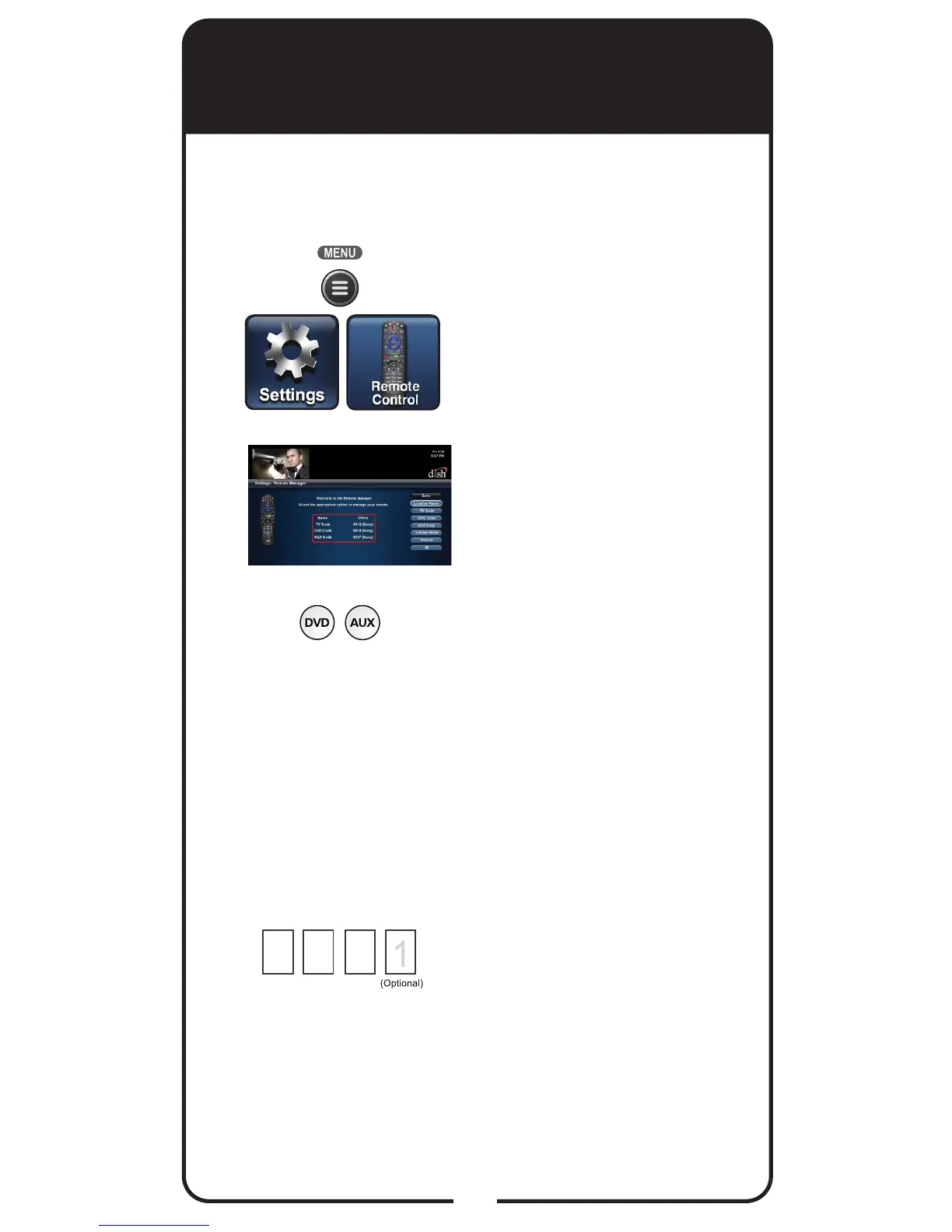
Press MENU, select Settings
tile, and then select Remote
Control. The Home screen
for your current remote
control displays.
Verify that the brand name
of TV shown in parentheses
after the code matches the
brand name of your TV.
For DVD and AUX modes,
the codes should be
accompanied by the brand
name of your equipment in
parentheses. Remember that
the type of device controlled
in DVD mode may be either
a DVD/BD player or a VCR,
and AUX also may be an
audio receiver, accessory,
amplier, or a second TV.
Record the stored device
code in the Reference Table
on the inside back cover of
this Guide.
3
2
1
4













 To Next Page