96
Customizing the Guide and Channel Lists
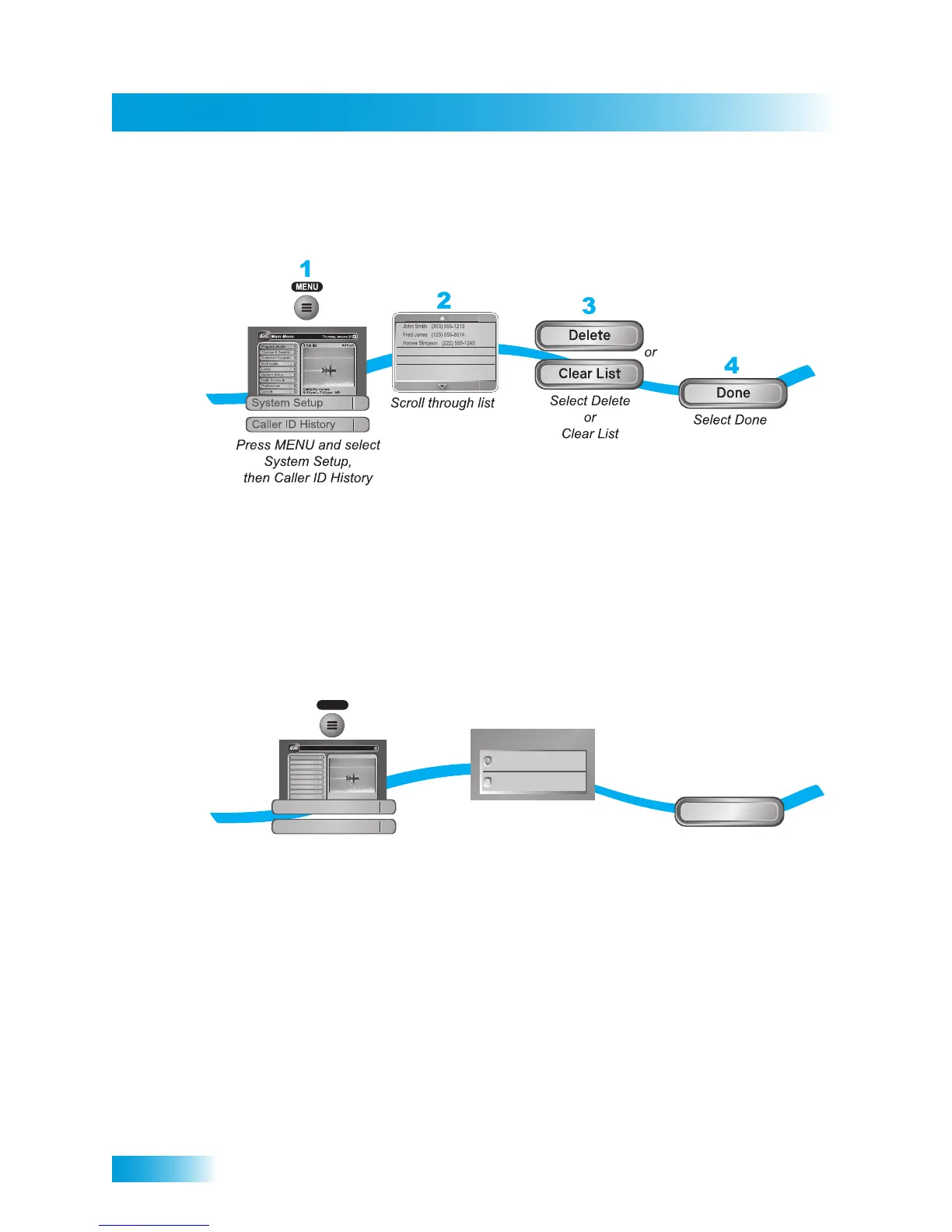
Using Caller ID History
Use the following instructions to view and delete numbers from your Caller ID History.
CUSTOMIZING THE GUIDE AND CHANNEL LISTS
You can set up the on-screen Program Guide to list channels in Descending order, with
the highest channel number displayed at the bottom of the TV screen, or in Ascending
order, with the highest channel number displayed at the top of the screen. The default
setting is to list channels in descending order.
1
2
3
Press MENU and
select Preferences,
then Channel Order
Select Ascending
or Descending
Select Done
Done
MENU
Program Guide
1
Themes & Search
2
Customer Support
3
Multimedia
4
Locks
5
System Setup
6
Daily Schedule
7
Preferences
8
Cancel
0
1
Main Menu
Thursday, January 20
114 E !114 E!
6:25 pm
Celebrity Homes
5:30 pm - 7:00 pm NR
Descending
Ascending
Channel Order Setup
Preferences
Channel Order



 To Next Page