88
The Recover Button
THE RECOVER BUTTON
Use RECOVER if you have a snowy, all blue, or black screen on your TV and cannot get
the picture back from your satellite receiver. When you press the RECOVER button as
described, the remote control sends commands to your TV to change channels or video
inputs to get back to watching satellite programming. This procedure works only if you
have accidentally changed the TV channel or video input. It does not recover lost satellite
TV signal (See Troubleshooting on page 124 for more information).
Note: The remote must be programmed to control the TV (and VCR, if applicable) in order
for the RECOVER feature to work as described.
Note: The RECOVER feature will first try to tune your TV to channel 3, then to channel 4,
and then change to other video inputs with each press of the RECOVER button. You may
need to press the RECOVER button up to 30 times to recover your satellite TV video. If
RECOVER has been programmed to use a specific channel, then RECOVER will tune the
TV to this specific channel first (for example, to channel 60).
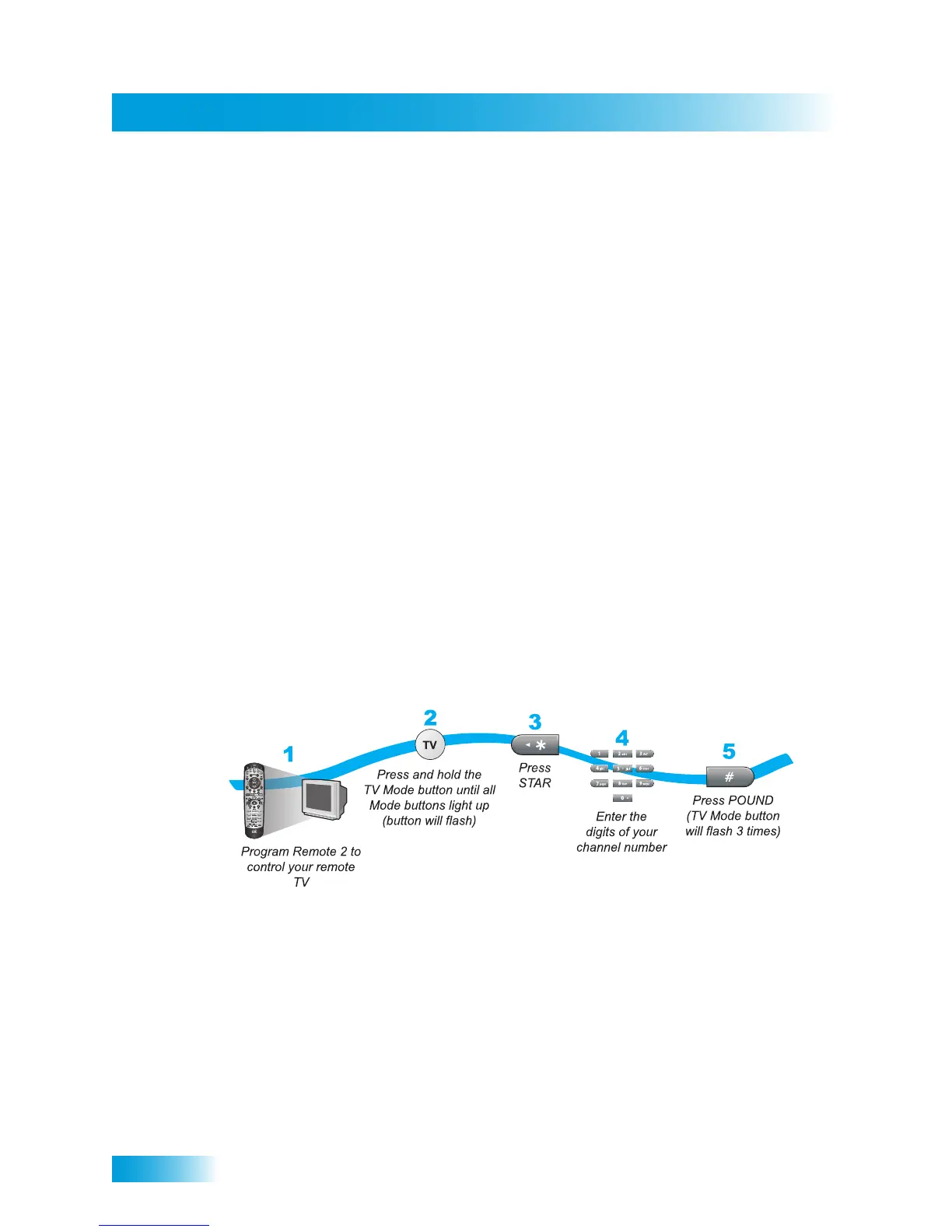
Programming the Recover Button for Remote Control 2
When your Remote Control 2 is shipped from the factory, the RECOVER button is set up
to restore satellite TV viewing by tuning your TV (or VCR) to channel 3 or 4, and other
input(s). To use RECOVER with your remote TV (or VCR), you need to program
RECOVER with the specific three-digit number channel that you use to watch TV2
programming. (For two-digit number channels, use a zero first. For example, enter
channel 60 as 060.) The following instructions describe how to program the RECOVER
button to tune your remote TV (or VCR) back to a selected TV channel.
Using the Recover Button
The following setup is required to use RECOVER:
• The remote control must be set up to control the TV and, if installed, also the VCR.
• If a VCR is installed, then it must be connected to the system as shown on page 115.



 To Next Page