30
Using Themes and Search
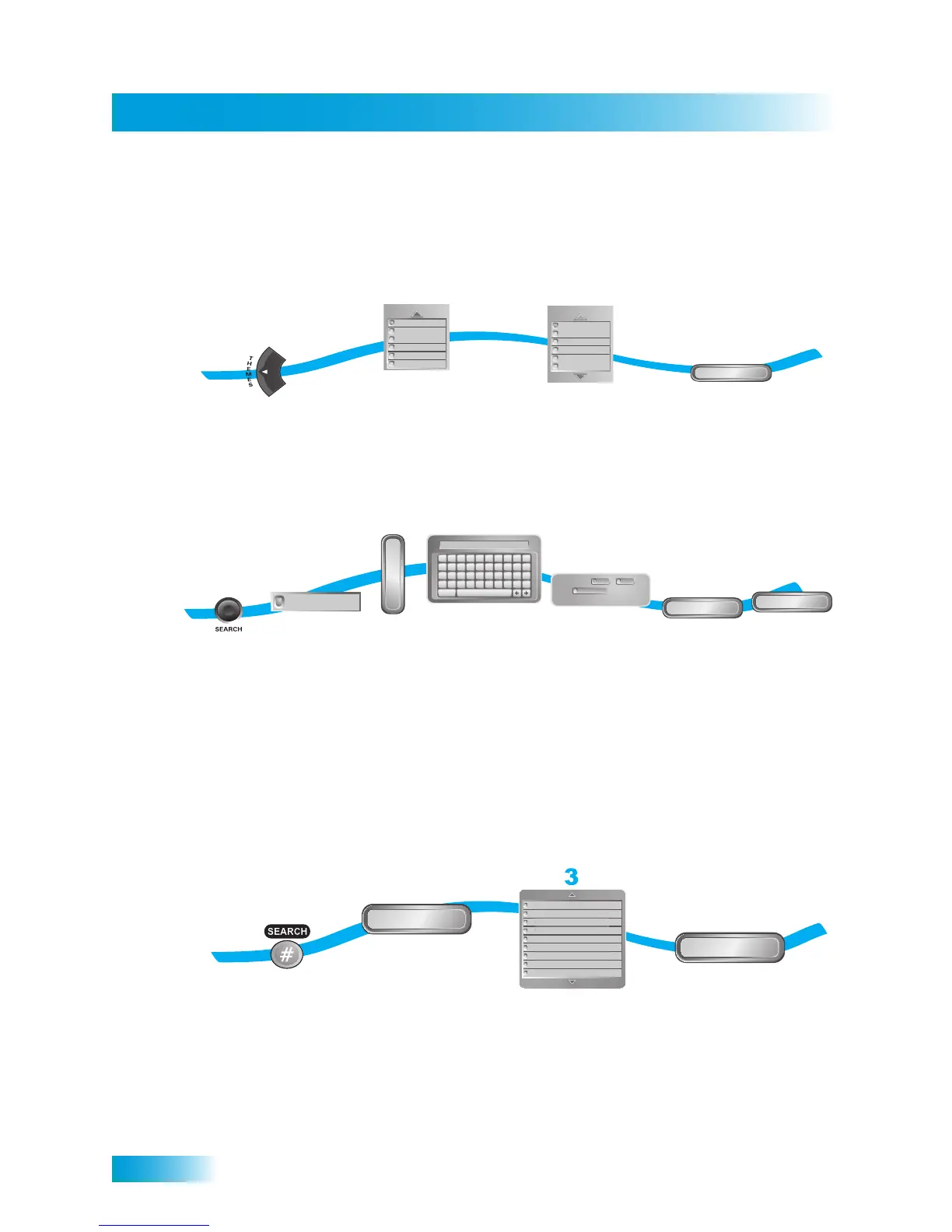
Using Themes
Using Keywords
Using History
After you have searched for programs or keywords, your receiver keeps a history. When
the receiver is in Dual Mode, you can access separate Search History information for TV1
and TV2. When the receiver is in Single Mode, only TV1’s Search History is available. You
can use Search History to research programming instead of typing the information again.
Note: You can use the Edit or Delete options to modify or remove listed search keywords.
1
Press
THEMES
Select a
theme
Select a
sub-theme
Get Results
Select
Get Results
2
3
4
Theme
Family / Kids
Education
Series / Specials
Music / Arts
Religious
News / Business
Sub-Theme
Agriculture
Community
Talk
Entertainment
Health
All News
1
7
Press
SEARCH
Select
All Themes
Select
Keyword
Enter keyword
search criteria
A B C D E F G H I J
K L M N O P Q R S T
U V W X Y Z ' - . &
1 2 3 4 5 6 7 8 9 0
Space
Back
Cheers_
Done
Get Results
K
E
Y
W
O
R
D
Select Title or Info
(and Exact Match if
necessary)
Select
Done
Select
Get Results
All Themes
Search by:
Title
Info
Exact Match
or
and (optional)
2
3
4
5-6
8
2
1
3
4
Press
SEARCH
Select History
Select Search
History
Search
Charlie
Alien
Contact
ER
Pooh Bear
Clifford
Brady Bunch
rlie
n
ntac
y
unc



 To Next Page