47
Wally User Guide
Parental Controls
8
Parental Locks and Ratings Restrictions
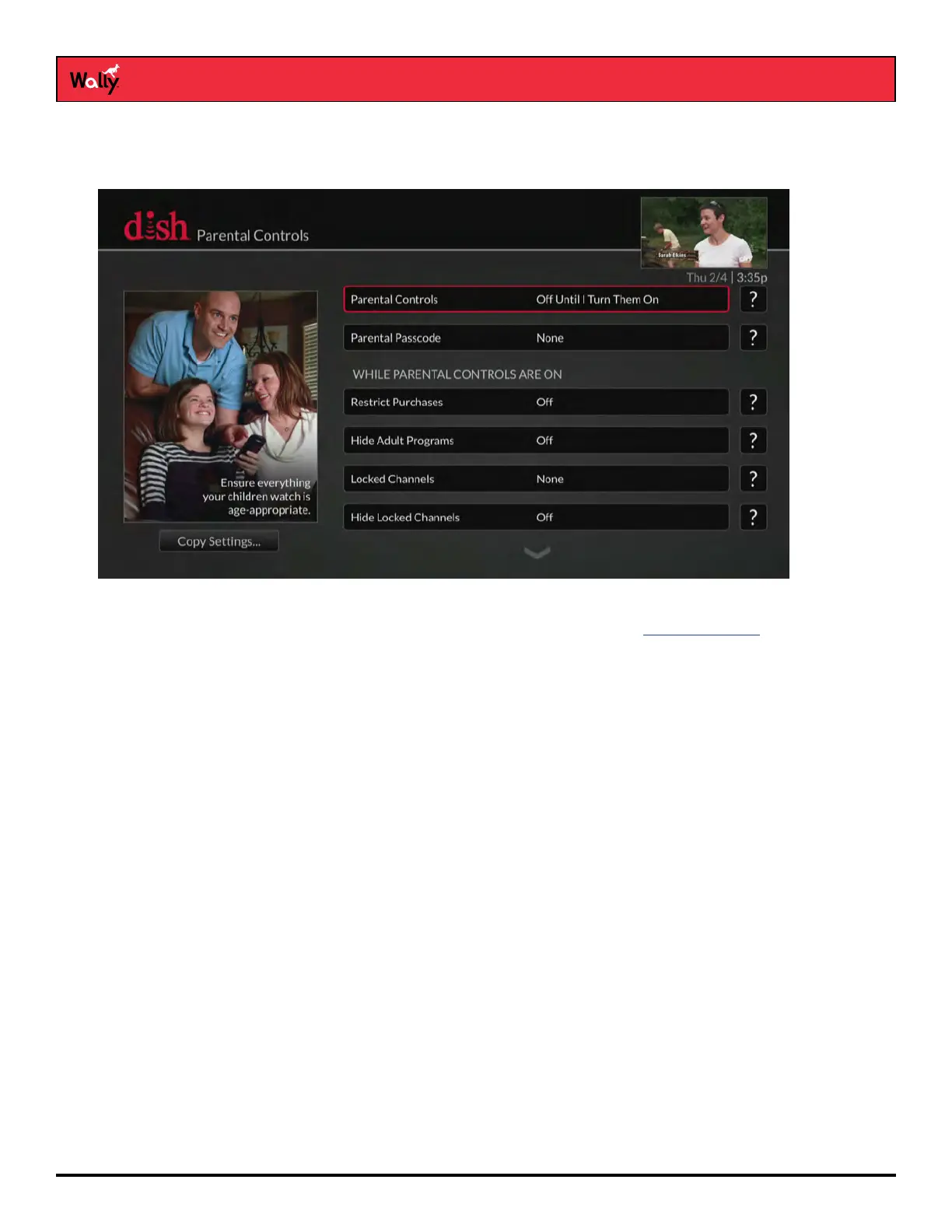
Parental locks and ratings restrictions are powerful tools that allow parents to restrict what their kids can watch.
Below are the available parental controls:
• Ratings Restrictions – For locking programs based on their ratings. See Ratings Systems for more
information.
• Channel Locks – For locking channels, regardless of content
• Hide Adult Programs – For hiding adult channels from the Guide and Mini Guide
• Hide Locked Channels – For hiding locked channels from the Guide and Mini Guide
Parental Control Rules
After you enable a parental control:
• If you try to access a locked channel, restricted program, or the Parental Controls screen, you’ll be prompted to
enter the passcode.
• You get three tries to enter the correct passcode. If you fail to do so, you cannot try again for ve minutes.
• If you enter the correct passcode, you can access the locked channel, restricted program, or the
Parental Controls screen to make changes to any locks and restrictions.
• If you exit a locked or restricted item or the Parental Controls screen, you must enter the passcode again to
access the item or screen.










 To Next Page