20
IP2251EN
11.2.1 Selection of automation type → and specific default
settings
AS
Type of
automation
Model
R1-R2
Thrust
on
obsta-
cles and
current
VA -
VC
Speed
during
opening
and
closure
VR
Learning
speed
PO-PC
Ap-
proach
speed
TA
Accel-
eration
time
during
opening
TQ
Accel-
eration
time
during
closure
VM
Ramp
start-up
speed
OBBI3BH
50 24 18 07 2 3 03
ARCBH
70 14 10 06 2 3 03
FACIL3H
50 12 10 05 2 3 03
LUXO3BH-4BH
40 16 12 06 1 2 10
PWR25H
50 18 10 05 2 3 03
PWR35H
50 20 12 06 2 3 03
PWR40H
40 22 15 06 1 2 10
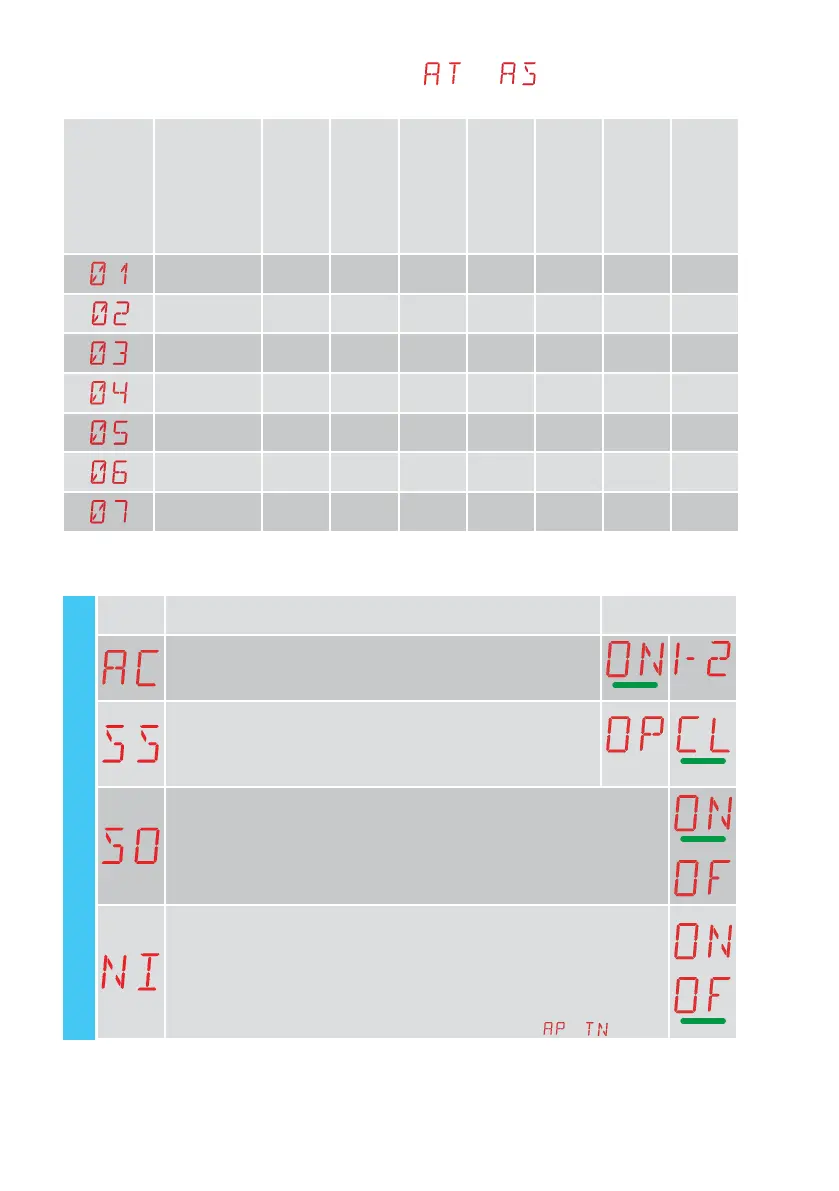
11.3 Second level menu - BC (Basic Configurations)
Display Description
Selections
available
AC - Enabling of automatic closure
ON - Enabled
1-2 - Dependent on input 1-2
SS - Selection of automation status at start
OP - Open
CL - Closed
Indicates how the control panel considers the automation at the time
of switch-on, or after a POWER RESET command.
SO - Enabling of reversal safety contact functioning
ON - Enabled
OF - Disabled
When enabled (ON) with the automation idle, if the contact 1-8 is open, all oper-
ations are prevented.
When disabled (OF) with the automation idle, if the contact 1-8 is open, opening
operations are permitted.
NI - Enabling of NIO electronic anti-freeze system
ON - Enabled
OF - Disabled
When enabled (ON), it maintains the efficiency of the motor even at low ambient
temperatures.
NOTE: for correct operation, the control panel must be exposed to the same am-
bient temperature as the motors.
The intervention temperature for NIO can be set by selecting
→ .
BC - Basic configurations



 To Next Page