DJI Goggles 3 User Manual
24
©
2024 DJI All Rights Reserved.
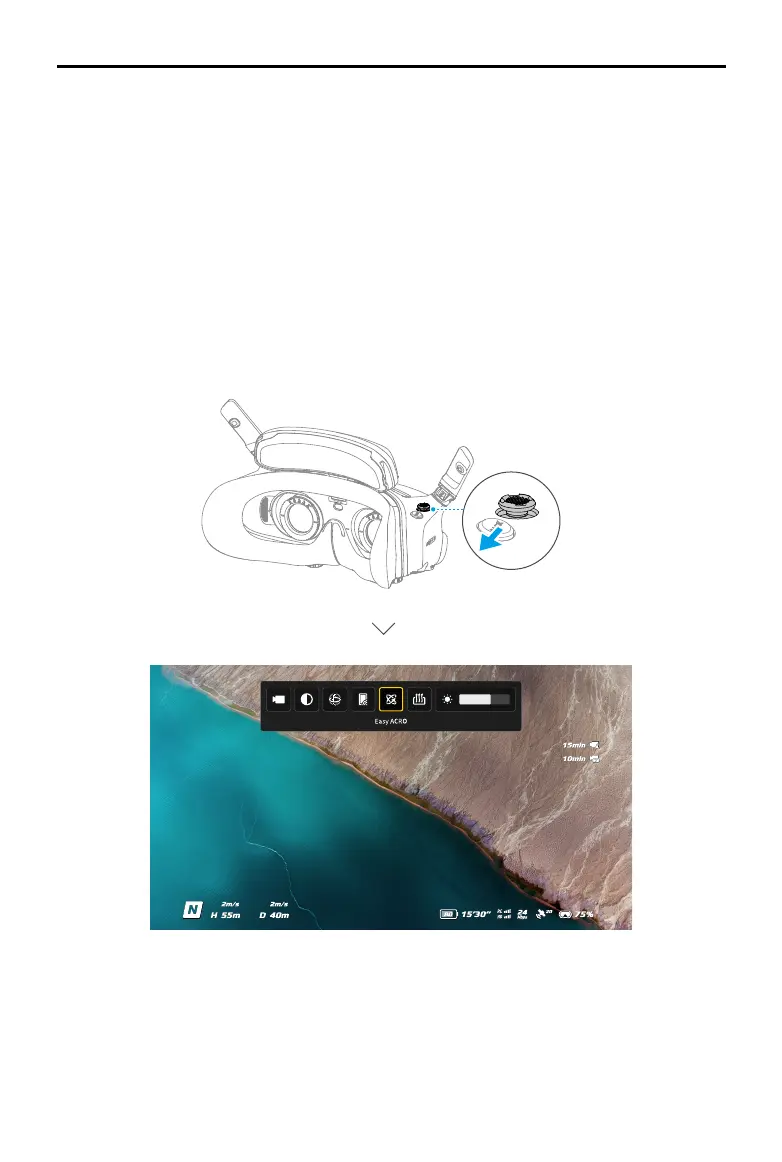
Shortcut Menu
Push the 5D button backward to open the shortcut menu from the FPV view and access the
quick controls of the following functions:
• Take a photo, or start/stop recording
• Enable/disable Enhanced Display
• Enable/disable Head Tracking (only supported by certain aircraft)
• Enable/disable Share Liveview to Mobile Device via Wi-Fi
• Enable/disable Easy ACRO (only supported by certain aircraft)
• Enable/disable Goggles Defog
• Adjust brightness


 To Next Page