EasyManua.ls Logo

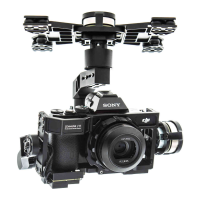
dji Zenmuse Z15-A7 - User Manual

dji Zenmuse Z15-A7
27 pages
Print Icon
To Next Page IconTo Next Page
Loading...
Zenmuse Z15-A7
2015.4
V1.0
User Manual

Questions and Answers

  • P
    Peter DaviesAug 10, 2025
    How to fix a dji Zenmuse Z15-A7 gimbal that keeps drifting after initialization?
    • R
      rowejasonAug 11, 2025
      If your gimbal keeps drifting after initialization, here are a few potential causes and solutions: 1. The TX trims are too high: Adjust the TX trims. 2. The GCU and Flight Control System have been disconnected: Connect the GCU and Flight Control System. 3. The gimbal direction is not pointing in the same direction as the aircraft’s nose: Ensure the gimbal direction is pointing in the same direction as the aircraft’s nose.
  • S
    Susan GallegosAug 18, 2025
    What to do if the dji Zenmuse Z15-A7 gimbal LED is blinking red?
    • P
      Perry WhitneyAug 18, 2025
      If the gimbal LED is blinking red, it could be due to several reasons: * A disconnected cable between the gimbal and camera: Ensure all cables are securely connected. * The camera is off: Power on the camera. * Camera setup failure: Set the HDMI resolution to 1080i.
  • S
    Stephanie ChangAug 26, 2025
    Why is the green or yellow LED continuously on, but no video is displayed on my DJI Camera Accessories gimbal?
    • M
      Matthew JohnsonAug 26, 2025
      If the gimbal’s green or yellow LED is continuously on, but no video is displayed, the issue could be: 1. The HDMI-HD/AV transmission module is disconnected from the camera: Check the HDMI-HD/AV transmission module connection. 2. The camera is powered off: Power on the camera. 3. In HD mode, the DJI Lightbridge App video source has been set to 'HDMI/AV': Change the DJI Lightbridge App video source to 'HD Gimbal'.
  • D
    danaandersonSep 2, 2025
    What to do if I cannot distinguish the direction of the dji Zenmuse Z15-A7 gimbal when in use?
    • A
      Amanda SimpsonSep 2, 2025
      If you cannot distinguish the gimbal’s direction when in use, it might be due to BVR (Beyond Visual Range) flight. Switch to FPV Mode first, then to another Working Mode as needed.

Summary

GCU Wiring

Working Mode;AUX2 Switch Setup

Working Mode Switch Settings

Configuring the 3-position switch for gimbal working modes.

AUX2 Switch Settings

Assigning a 2-position switch for camera lens orientation in FPV mode.

PC Assistant Tuning

Installation and Usage

Steps to install and use the DJI PC Assistant software.

Upgrade

Pre-Flight Checklist

Flight Test

2-Pilot Solution

Troubleshooting

Specifications

dji Zenmuse Z15-A7 Specifications

General IconGeneral
Branddji
ModelZenmuse Z15-A7
CategoryCamera Accessories
LanguageEnglish

Related product manuals