8860 Installation and Programming Guide | Digital Monitoring Products 15
Clean the Keypad
Failure to follow cleaning recommendations may result in equipment damage.
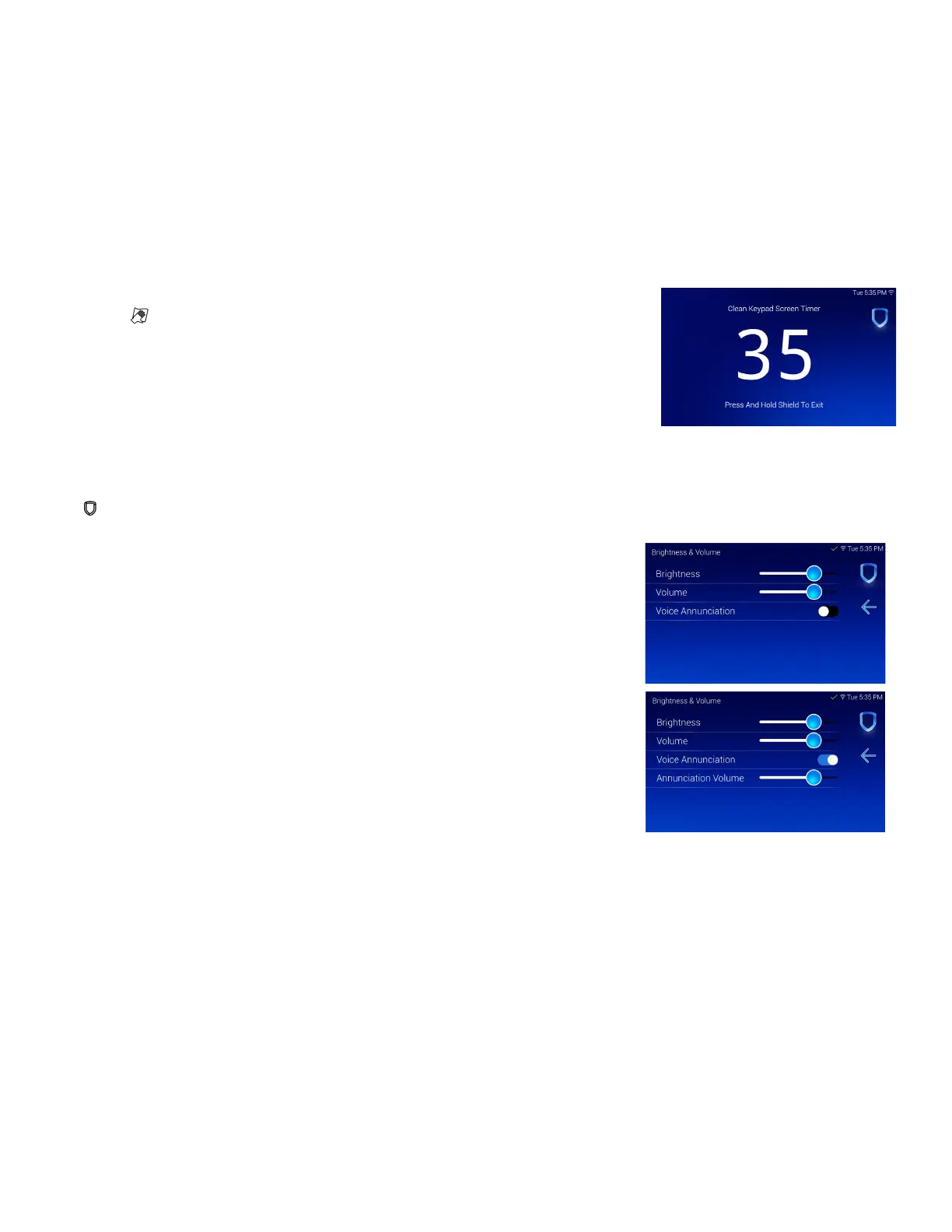
The Clean Screen option locks the screen for 40 seconds so you can clean it without accidentally pressing buttons.
Use gentle pressure to clean the display, screen, keys, and housing. Use only alcohol sprays or wipes that contain 70%
isopropyl alcohol to clean keypad surfaces.
Avoid spraying cleaner directly onto the keypad, oversaturating cleaning cloths, or allowing cleaner to make contact with
internal electronic components, cables, or power sources.
1. In the Carousel menu, tap Options.
2. Tap Clean Screen.
3. Use an alcohol wipe or spray a small amount of rubbing alcohol onto a clean,
dry microfiber cloth to gently wipe down all keypad touch surfaces, removing
any excess cleaner.
4. Wait 10 seconds, then completely dry all keypad surfaces.
5. If necessary, use a clean, dry microfiber cloth to gently remove streaking.
After the countdown timer expires, the keypad returns to normal operation. To exit the countdown early, press and hold
the Shield icon for 2 seconds.
Enable Voice Annunciation
To enable the keypad to annunciate that the pre-defined zone name has been
opened when the zone is tripped, use the toggle and adjust the annunciation
volume with the slider in the Brightness and Volume settings menu.



 To Next Page