[DS-RX1 Printer Driver] Instruction Manual (For Windows 11)
Chapter 1 Installation
Installation procedure
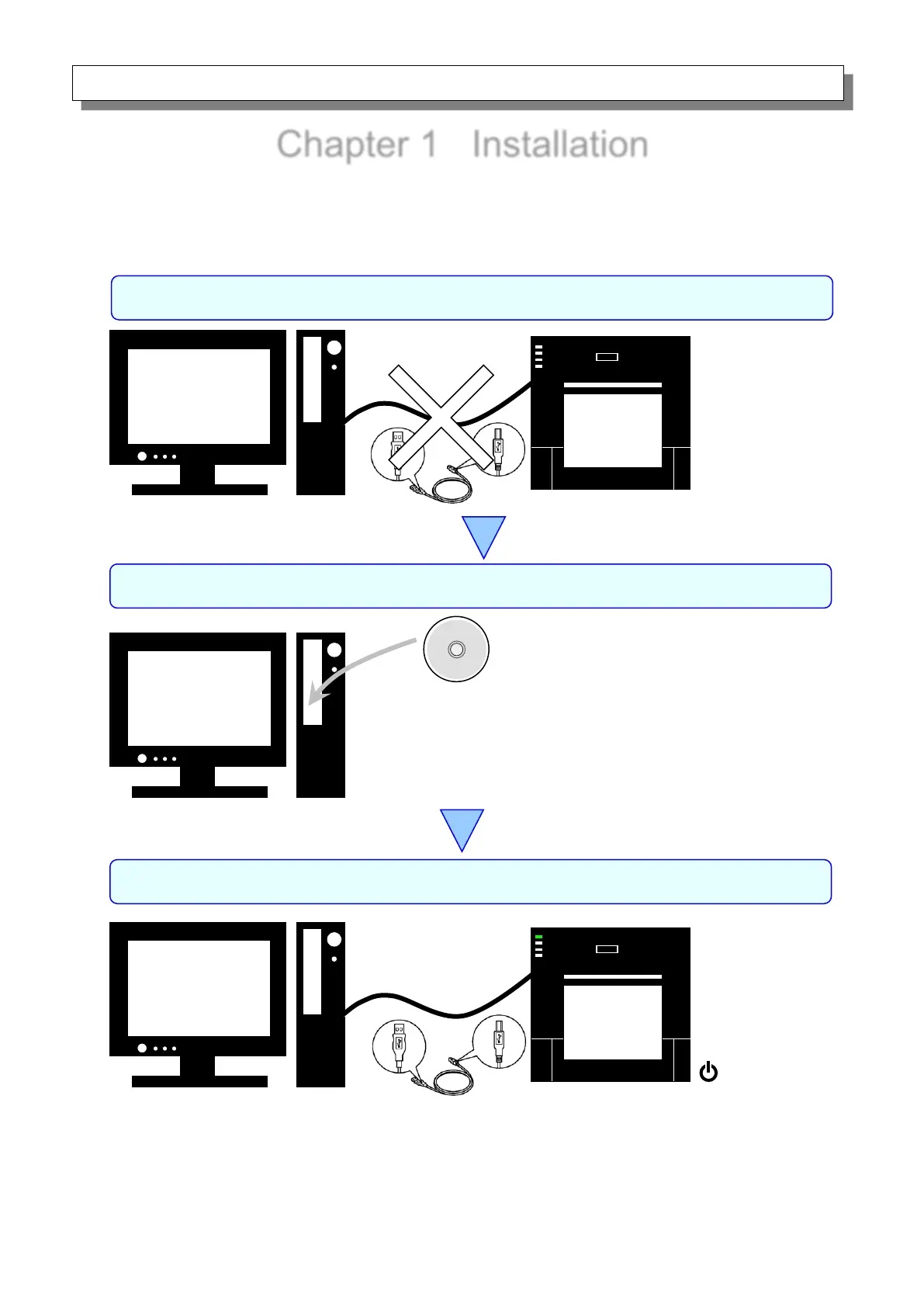
The installation procedure is made up of three steps.
The details of each step are explained below.
Insert the included CD into the disk drive, and then
install the driver package.
Step 1 Prepare the printer and computer → “1.1 Prepare the printer and computer”
Connect the USB cable, switch on the printer, and then
install the printer driver.
After installation is complete, restart the computer.
At this point, the USB cable is not yet
connected.
Step 2 Install the driver package →“1.2 Install the driver package”
Step 3 Install the printer driver → “1.3 Install the printer driver”



 To Next Page