[DS-RX1 Printer Driver] Instruction Manual (For Windows 11)
2.2.2 Advanced options
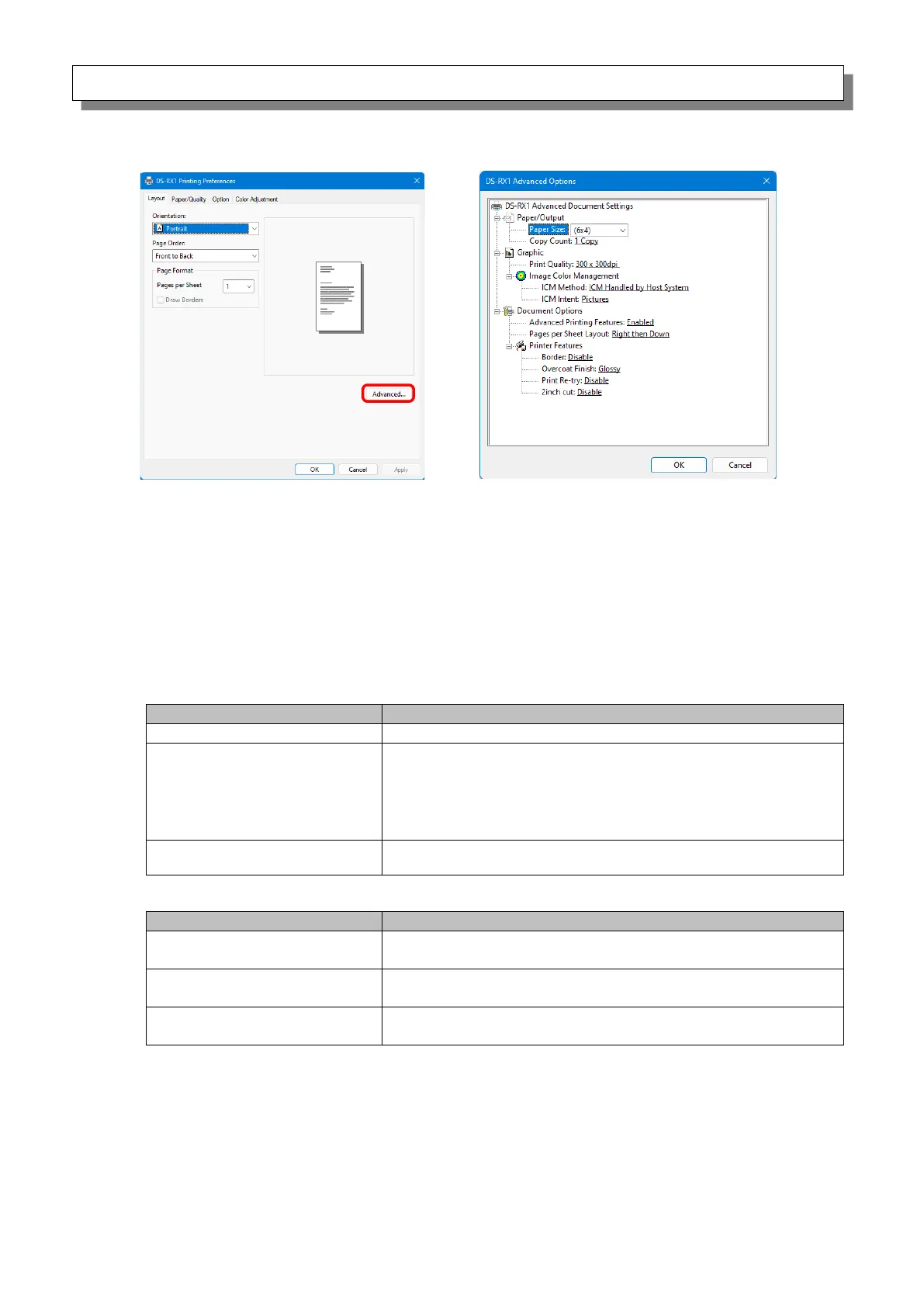
If you select “Advanced...” on the Layout tab, you can configure various advanced options.
Paper Size
You can designate the paper size. Please match the paper size to the media size with which the
printer is equipped.
Also multiple layout will be automatically used depending on the specified paper size. See later
sections for details.
Copy Count
You can specify the number of copies to be published for images.
Print Quality
You can designate the print quality.
Printing in the high-speed mode
Printing in the high-quality mode
* If the application can not set an asymmetric aspect resolution, please
set the 600x600dpi.
*When you execute the “Print Test Page” in printer properties,
depending on the specifications of the OS, is printed the aspect ratio of
the printer mark is different.
Printing in the high-quality mode
(Printer driver converts to 300x600dpi data, and sends it to the printer.)
Synchronized with “Color Adjustment Disabled” in the 2.2.4
Option.
ICM Handled by Host System
Synchronized with “Color Adjustment ICM” in the 2.2.4 Option.
Manage colors using the driver.
When this item has been selected, operation is the same as
“ICM Handled by Host System”.
ICM Intent
Set the rendering method when using ICM. For the ICC profile, always set to “Pictures”.
Do not use other settings.
Advanced Printing Features
Always set “Enabled”. Do not use other settings.
Figure 2.2.2.2 Advanced options tab
Figure 2.2.2.1 Advanced settings



 To Next Page