1.3 Install the printer driver
Use the USB cable to connect the printer and computer, and then switch on the power of the printer.
After the printer is recognized, installation of the driver starts.
*For the connection, see the User Guide of the printer.
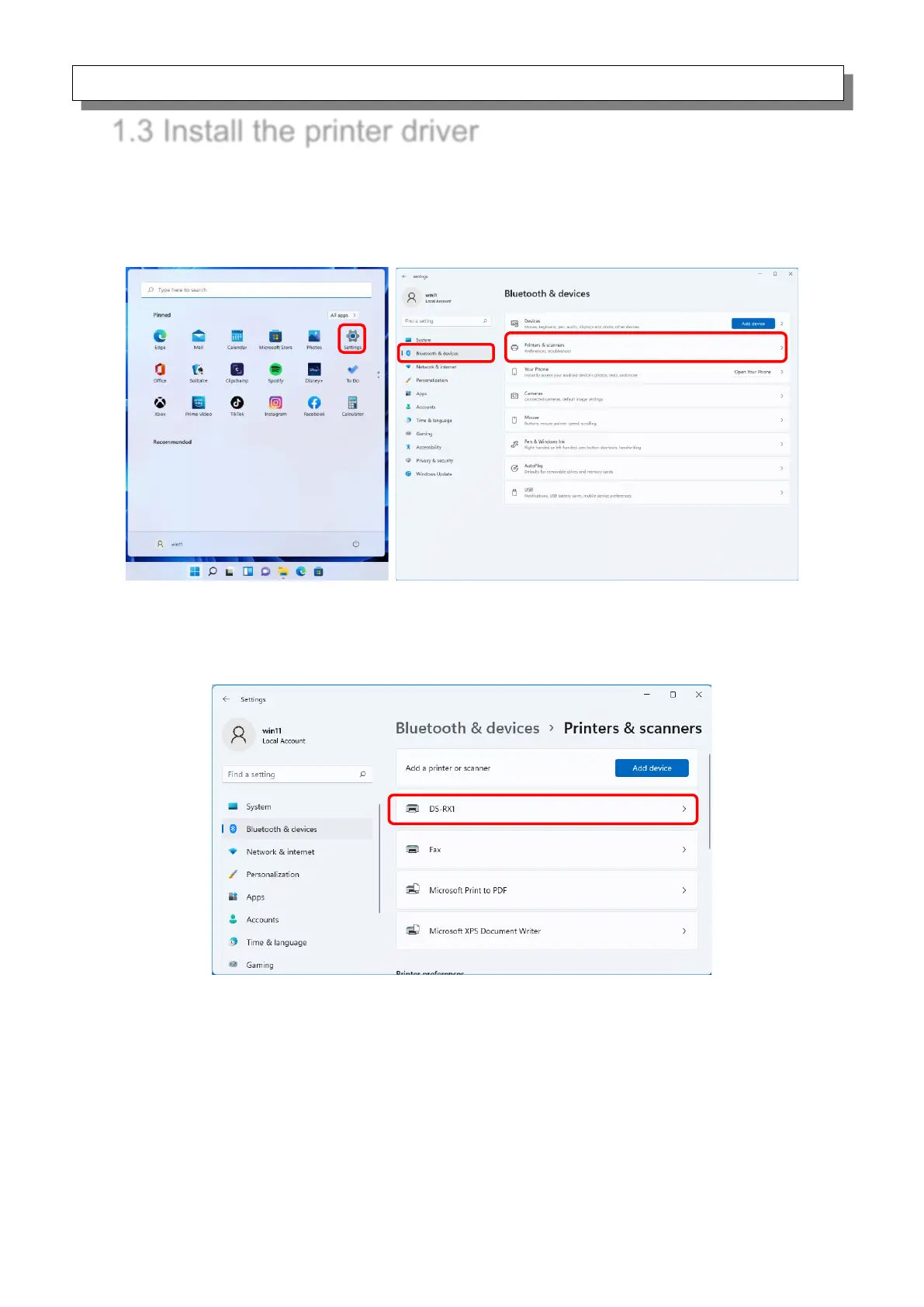
Click “Start”, select “Settings” -> “Bluetooth & devices”, and then open “Printers & scanners”.
Figure 1.3.1 Bluetooth & devices
On the Printers & scanners screen, check that DS-RX1 appears.
This completes installation of the DS-RX1 printer driver.
Figure 1.3.2 Printers & scanners
After the installation of the printer driver is complete, always restart the computer.



 To Next Page