Dobot MG400 User Guide
Issue V1.5 (2023-03-20) User Guide Copyright © Yuejiang Technology Co., Ltd
18
Electrical Specifications
Base Interface
Interface overview
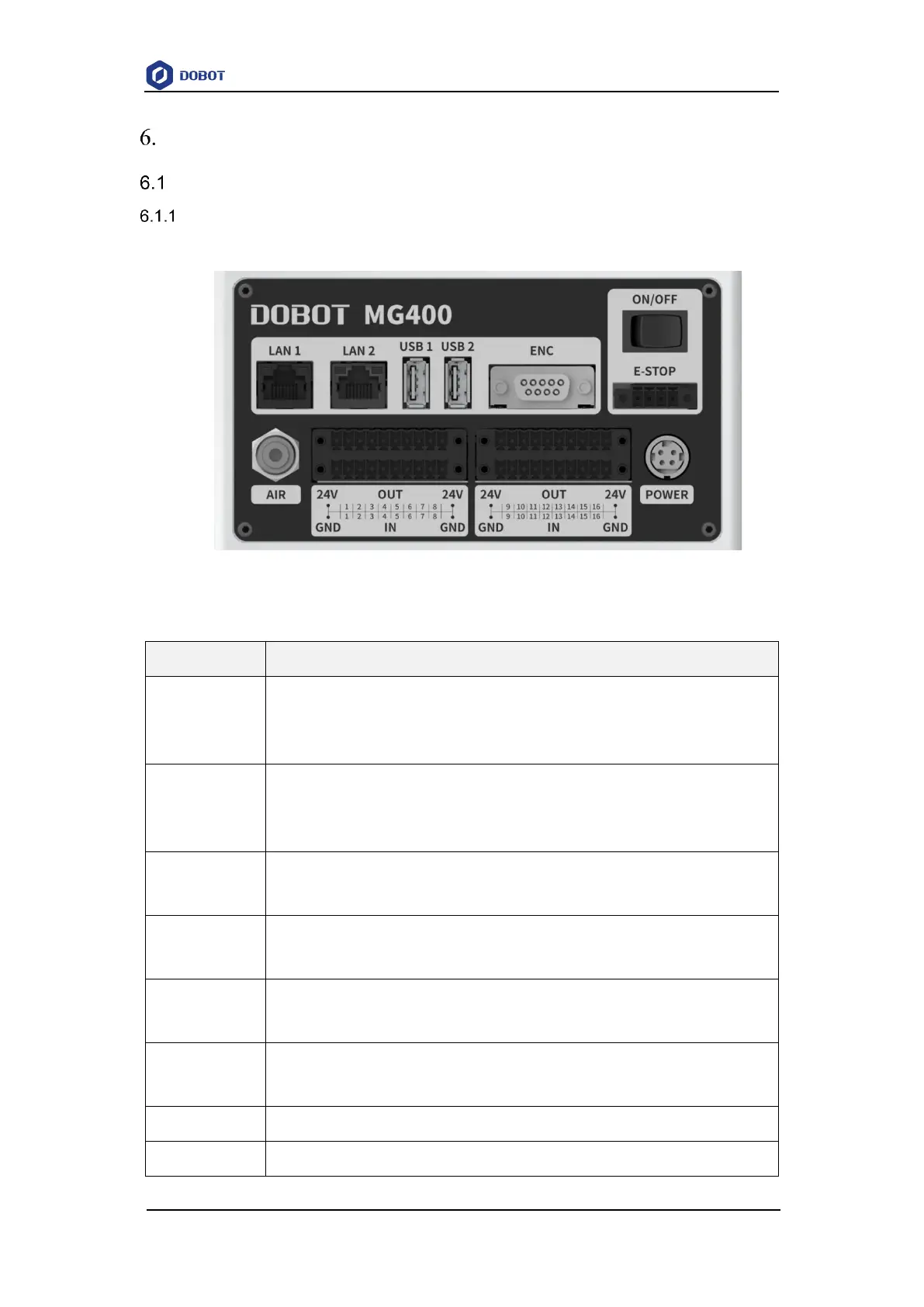
The base interface board is shown in Figure 6.1 and described in Table 6.1.
Figure 6.1 Interface board of the base
Table 6.1 Interface description
LAN interface
The default IP address is 192.168.1.6, which cannot be modified. It can be used for
software debugging.
LAN interface
For connecting to external equipment. The default IP address is 192.168.2.6, which can
be modified.
USB interface
For connecting WiFi module, updating firmware, etc.
USB interface
For connecting WiFi module, updating firmware, etc.
Encoder interface
For connecting to the conveyor belt for dynamic tracking
Power switch
For power on/off the robot



 To Next Page