39
ED50/ED100/ED250 09-2021DL4617-003
dormakaba ED50/ED100/ED250 OHC Header
Setup and Troubleshooting Instructions
Chapter 13
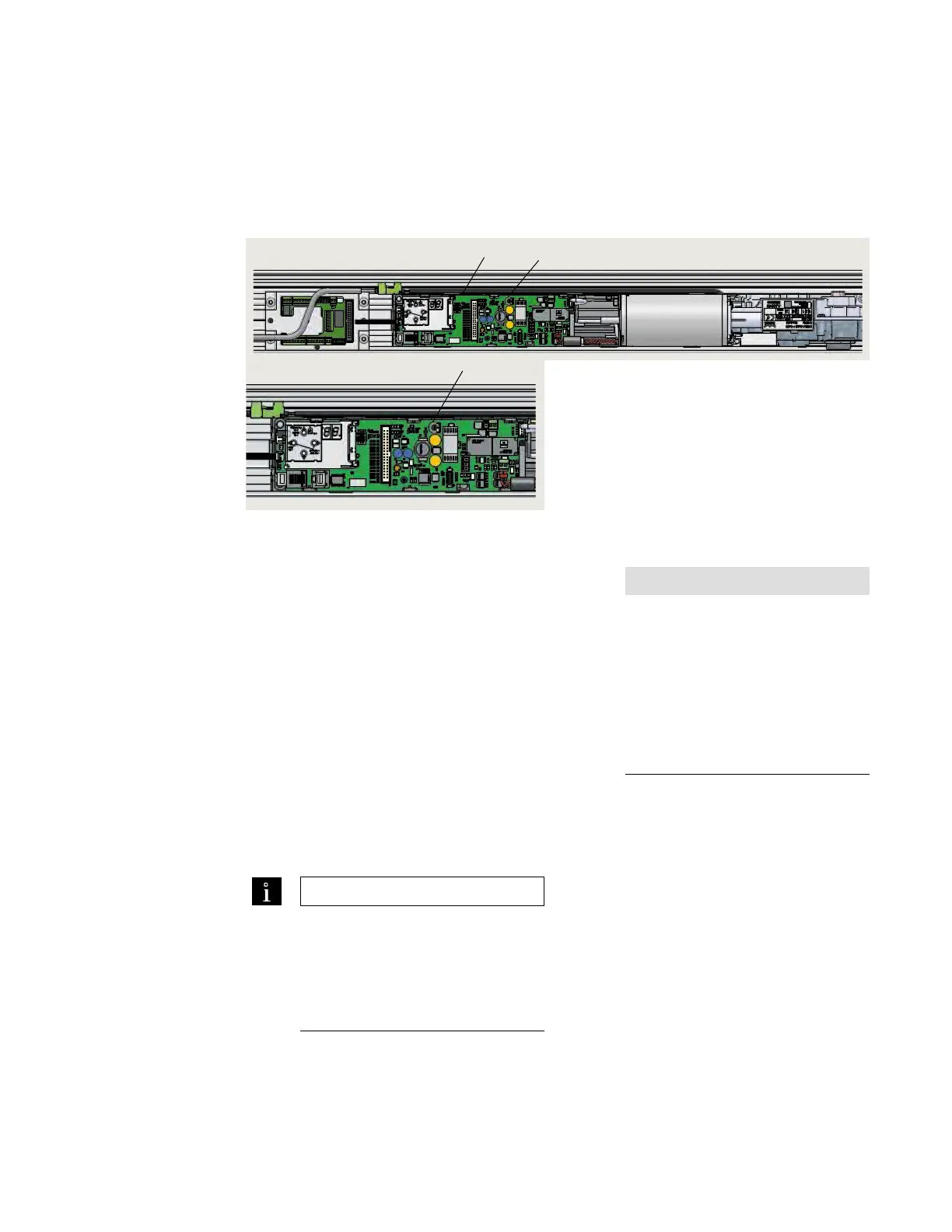
. Set power fail closing speed
1 Power fail closing
speed
potentiometer
2 Control board
3 Power switch
Fig. 13.1.1 Power fail closing speed potentiometer, ED100/ED250 operator on RH side of
header example
.. Power fail closing speed
potentiometer.
• Single turn
• Factory setting: fully CCW
• CCW increases closing speed.
• CW decreases closing speed.
• /" [- mm] flat blade screwdriver
required for adjustment.
.. Setting door closing speed upon
power failure.
. Turn ED/ED/ED power switch
OFF.
. Manually open door to ° angle and let
it close.
. If door closes in less than seconds, turn
potentiometer / turn CW and retry
test. Repeat as necessary.
TIPS AND RECOMMENDATIONS
Total door closing time from full
open to fully closed should not be
less than 5 seconds.
Reference Chapter 19; ANSI/BHMA
standards.
NOTICE
It is imperative that this door closing
time be set.
If door closes in less than three
seconds, error message E 73
(System error 3, braking circuit) will
be displayed.
Reference Appendix B,
Troubleshooting.
1
1
2
Set power fail closing speed












 To Next Page