Issued July 2024
General Information
Copyright 2024, The Heil Co.
Printed in the U.S.A.
General Information
8
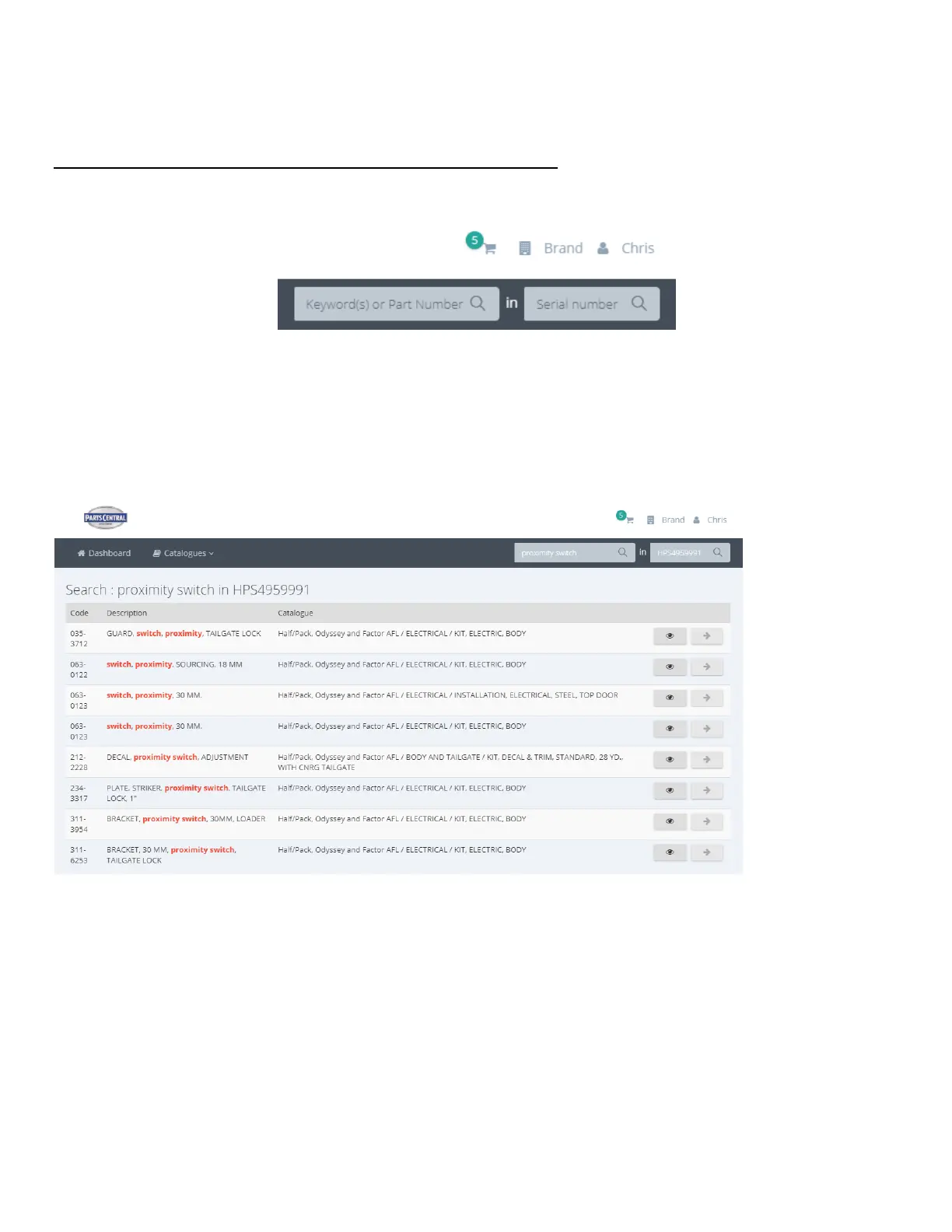
Search by Part Keyword(s) or Part Number in Body Serial Number
After login, you will land on the User Dashboard. At the top right of the Dashboard, there will be two search fields, as shown in
the image below.
You can search by Keyword(s) or Part Number within a specific Heil Body Serial Number. For example, if you are looking
for a proximity switch for Body Serial Number HPS4959991, you can enter this information into these two fields and the
search results will include all parts within the HPS4959991 body that contain the keywords proximity and switch within their
part descriptions. See the image below.
From the search results list, you can select the right arrow icon to view the part within its associated assembly/kit, helping
you identify the needed part. Alternatively, you can select the eye icon on the right to see part specifics (including any notes)
and quickly add to cart (although this functionality is not yet turned on in the Parts Central EPC).



 To Next Page