DRAMIŃSKI iScan mini – user guide
8
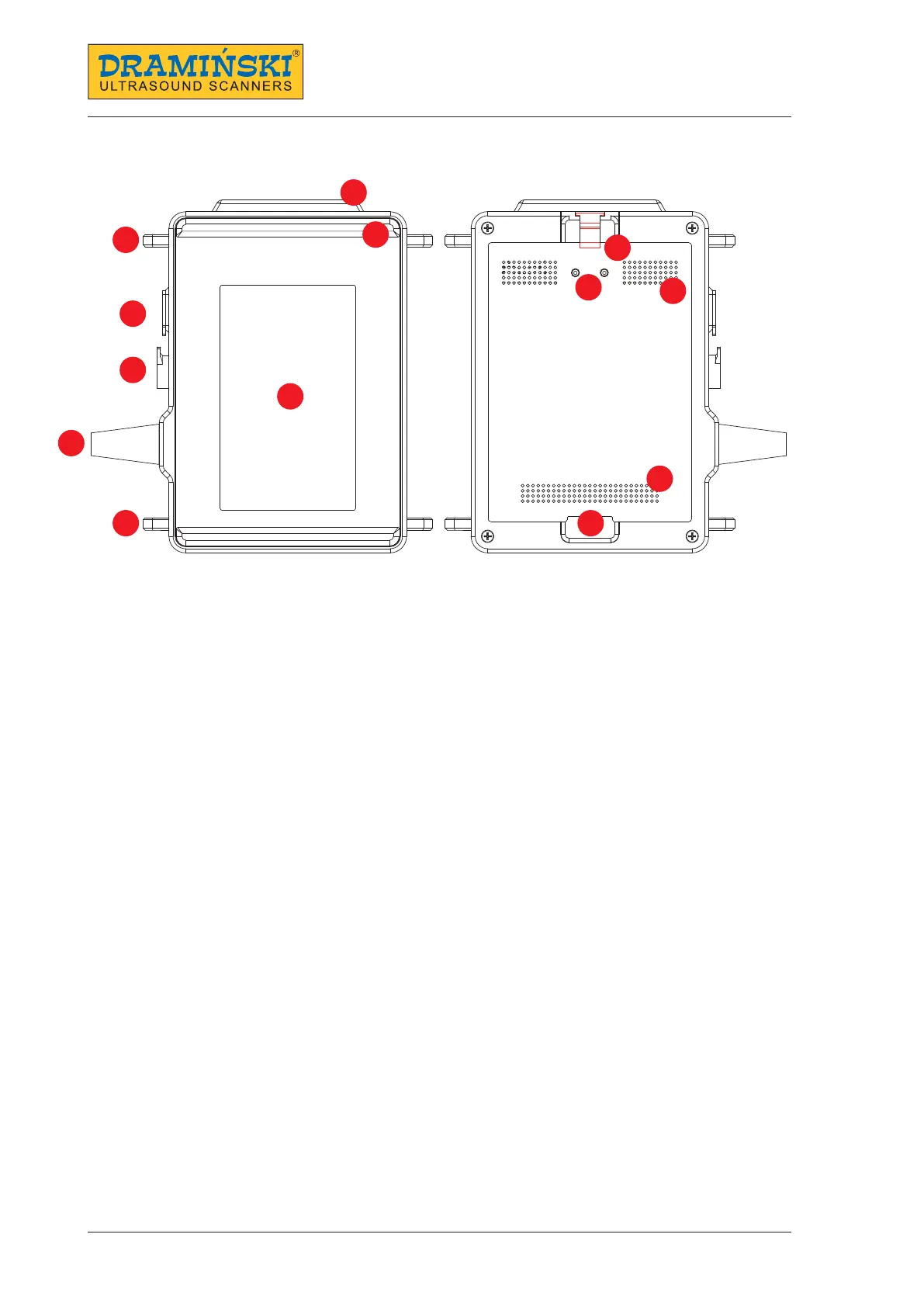
4. Design of the iScan mini ultrasound scanner
iScan mini — front and rear view
1. WiFi antenna
2. Spacer
3. Hooks for carrying belts
4. USB C socket
5. Goggles connection socket
6. Screen
7. Probe cable
8. Battery attachment interlock
8a. Battery attachment
9. Power supply contacts
10. Ventilation inlets
11. Ventilation outlets
Attention!
The ultrasound scanner has a sturdy design. However, during operation and transportation, caution is
necessary in order not to subject the device to strong impacts to avoid damaging it. Sockets and venti-
lation openings should be protected against dirt and moisture.
1
2
3
4
5
6
7
8
9
10
11
8a
3


 To Next Page