Vigor2820 Series User’s Guide
130
Display Name The Caller-ID that you want to be displayed on your friend’s
screen. This let your friend can easily know who’s calling
without memorizing lots of SIP URL Address.
SIP URL Enter your friend’s SIP Address
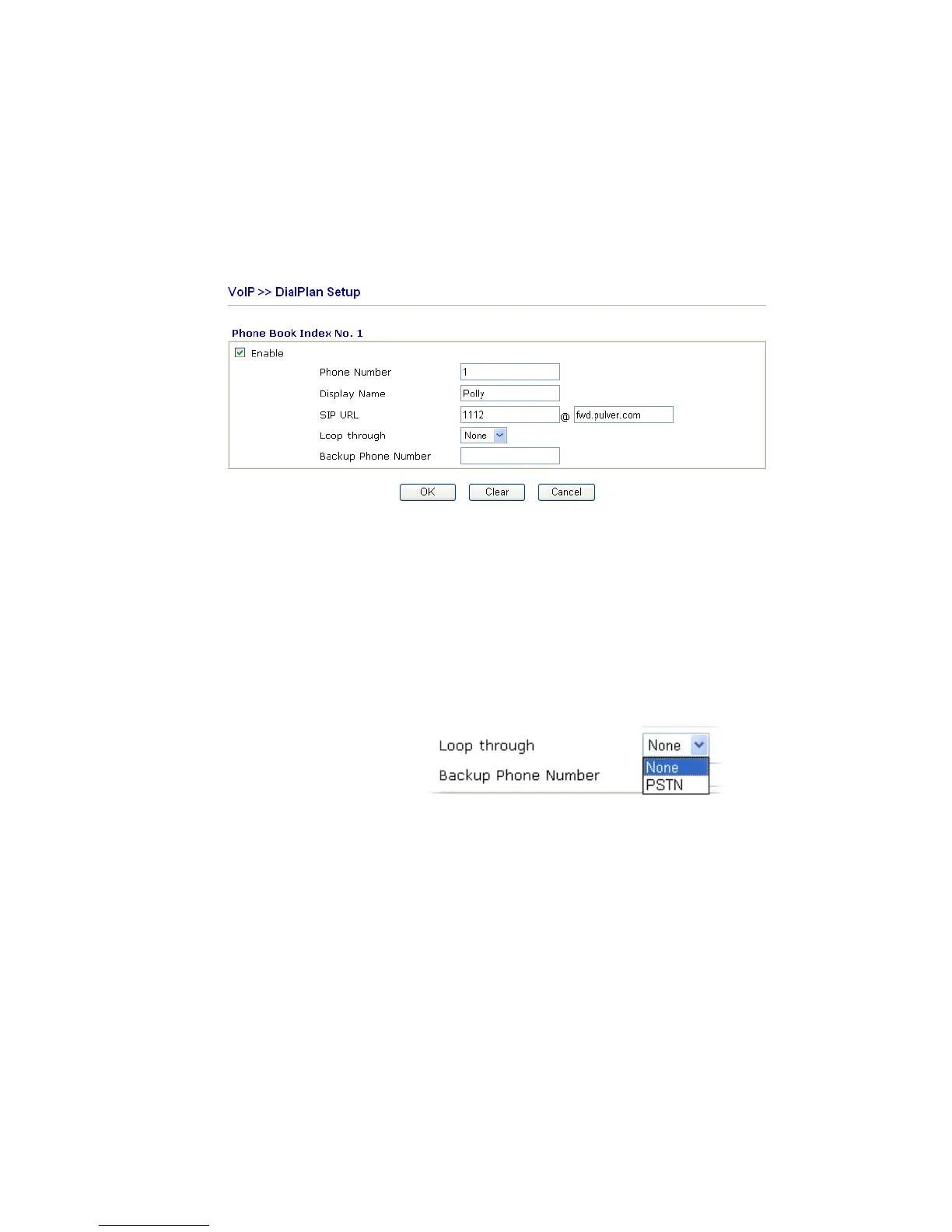
This page will differ for different models. Below is a sample page obtained from Vigor
2820Vn. The selection of Loop through and Backup Phone Number is only available for
2820Vn model.
Enable Click this to enable this entry.
Phone Number The speed-dial number of this index. This can be any number
you choose, using digits 0-9 and * .
Display Name The Caller-ID that you want to be displayed on your friend’s
screen. This let your friend can easily know who’s calling
without memorizing lots of SIP URL Address.
SIP URL Enter your friend’s SIP Address
Loop through For the model of Vigor 2820Vn, the selection should be as the
following:
Backup Phone Number When the VoIP phone is obstructs or the Internet breaks down
for some reasons, the backup phone will be dialed out to
replace the VoIP phone number. At this time, the phone call
will be changed from VoIP phone into PSTN call according to
the loop through direction chosen. Note that, during the phone
switch, the blare of phone will appear for a short time. And
when the VoIP phone is switched into the PSTN phone, the
telecom co. might charge you for the connection fee. Please
type in backup phone number (PSTN number) for this VoIP
phone setting.
D
D
i
i
g
g
i
i
t
t
M
M
a
a
p
p
For the convenience of user, this page allows users to edit prefix number for the SIP account
with adding number, stripping number or replacing number. It is used to help user having a
quick and easy way to dial out through VoIP interface.













 To Next Page