Vigor2820 Series User’s Guide
131
Enable Check this box to invoke this setting.
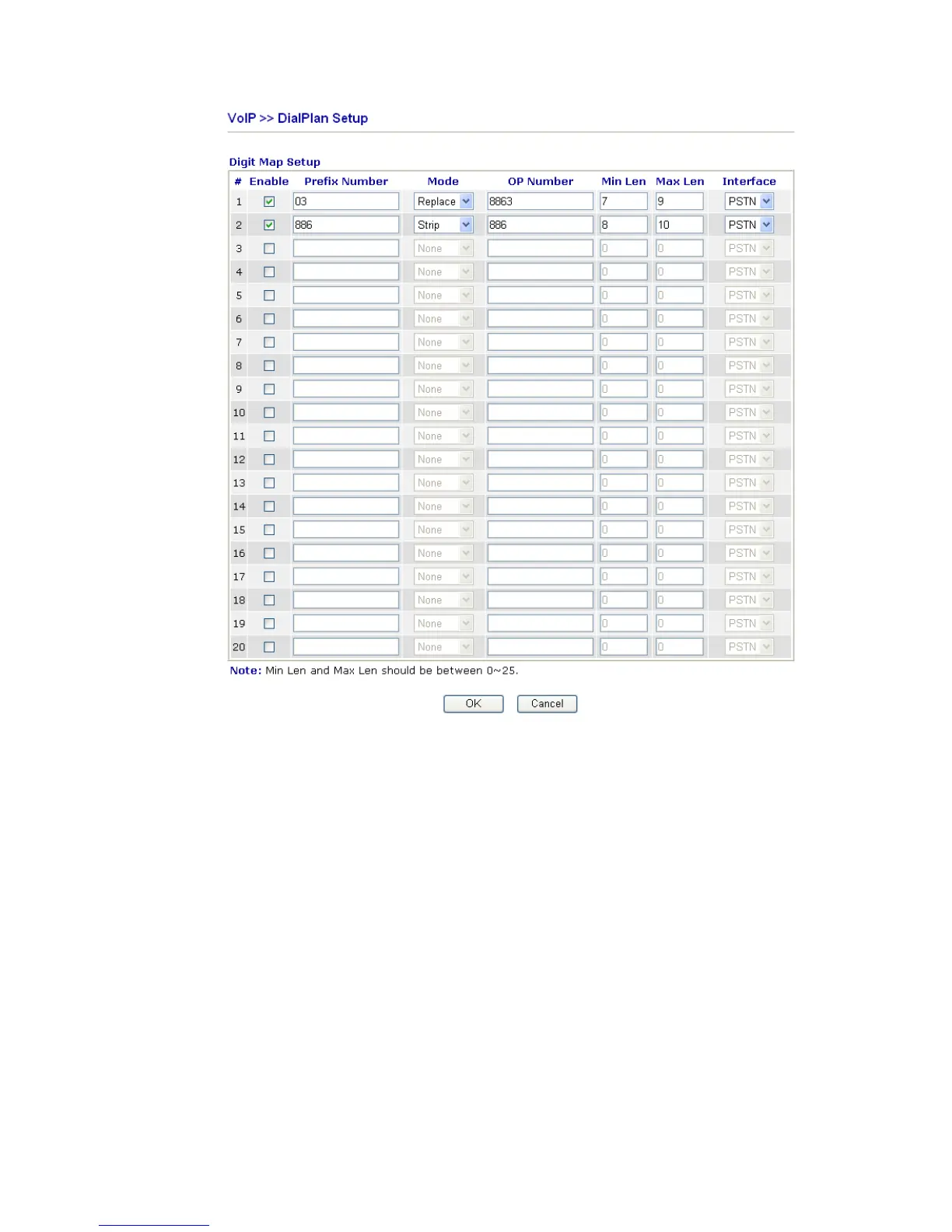
Prefix Number The phone number set here is used to add, strip, or replace the
OP number.
Mode None - No action.
Add - When you choose this mode, the OP number will be
added with the prefix number for calling out through the
specific VoIP interface.
Strip - When you choose this mode, the OP number will be
deleted by the prefix number for calling out through the
specific VoIP interface. Take the above picture (Prefix Table
Setup web page) as an example, the OP number of 886 will be
deleted completely for the prefix number is set with 886.
Replace - When you choose this mode, the OP number will be
replaced by the prefix number for calling out through the
specific VoIP interface. Take the above picture (Prefix Table
Setup web page) as an example, the prefix number of 03 will
be replaced by 8863. For example: dial number of
“031111111” will be changed to “88631111111” and sent to













 To Next Page