Vigor3200 Series User’s Guide
46
3
3
.
.
3
3
H
H
o
o
w
w
t
t
o
o
C
C
o
o
n
n
f
f
i
i
g
g
u
u
r
r
e
e
M
M
u
u
l
l
t
t
i
i
-
-
S
S
u
u
b
b
n
n
e
e
t
t
By identifying the tagged message, Vigor3200 can divide the LAN Port into several VLAN
groups. Such LAN port with tagged information will accept the packets only with VLAN ID
number.
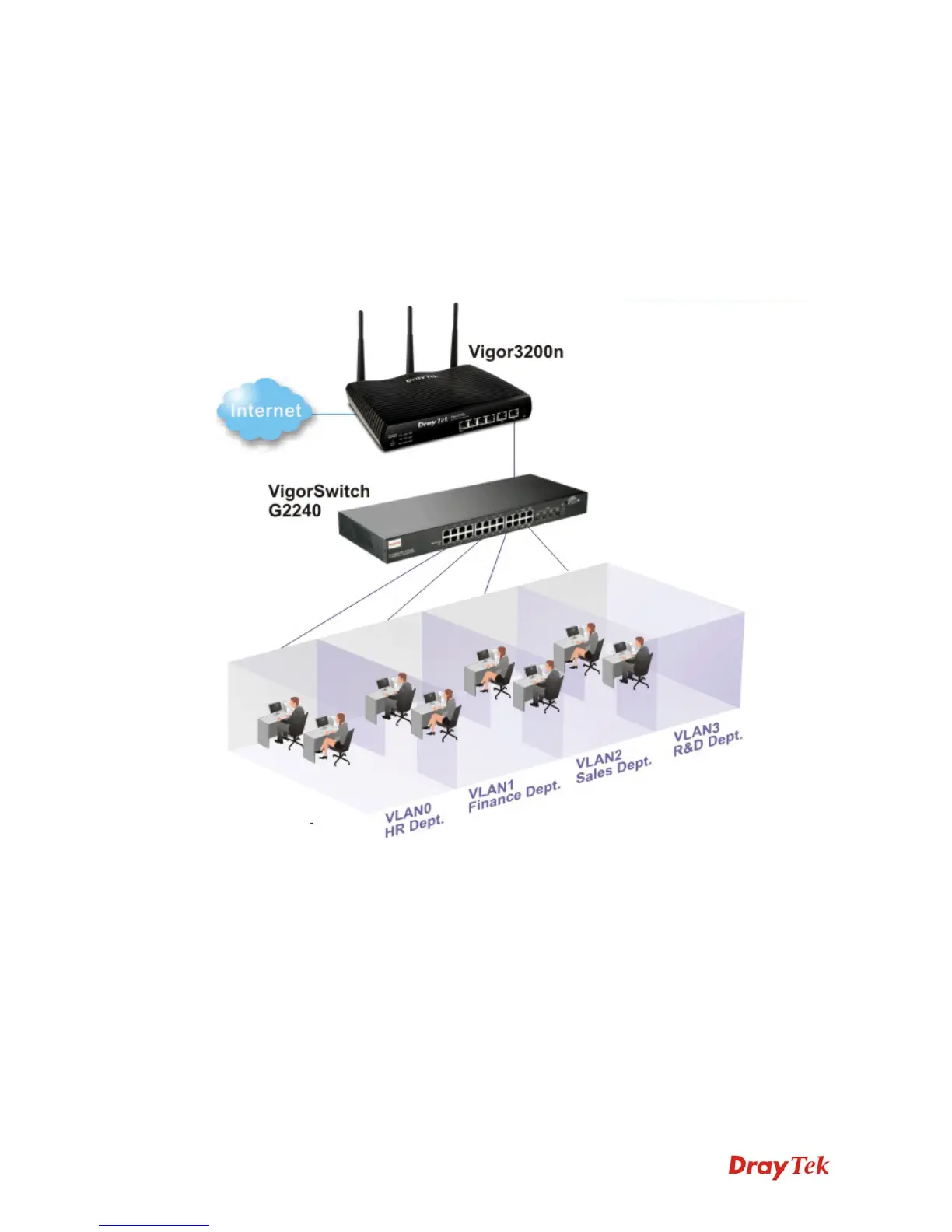
For example, Vigor3200 can divide the internal departments of a company into four different
groups by using VigorSwitch G2240. Each group uses different network segment and does not
connect for each other. VigorSwitch G2240 Trunk Port 23 and Vigor3200 LAN Port are
connected with network cable. See the following graphic for an example.
VLAN0 (Human Resource): LAN Port IP: 192.168.1.0/24
VLAN1 (Finance Dept): LAN Port IP: 192.168.2.0/24
VLAN2 (Sales Dept.): LAN Port IP: 192.168.3.0/24
VLAN3 (R&D): LAN Port IP: 192.168.4.0/24












 To Next Page