Vigor3200 Series User’s Guide
73
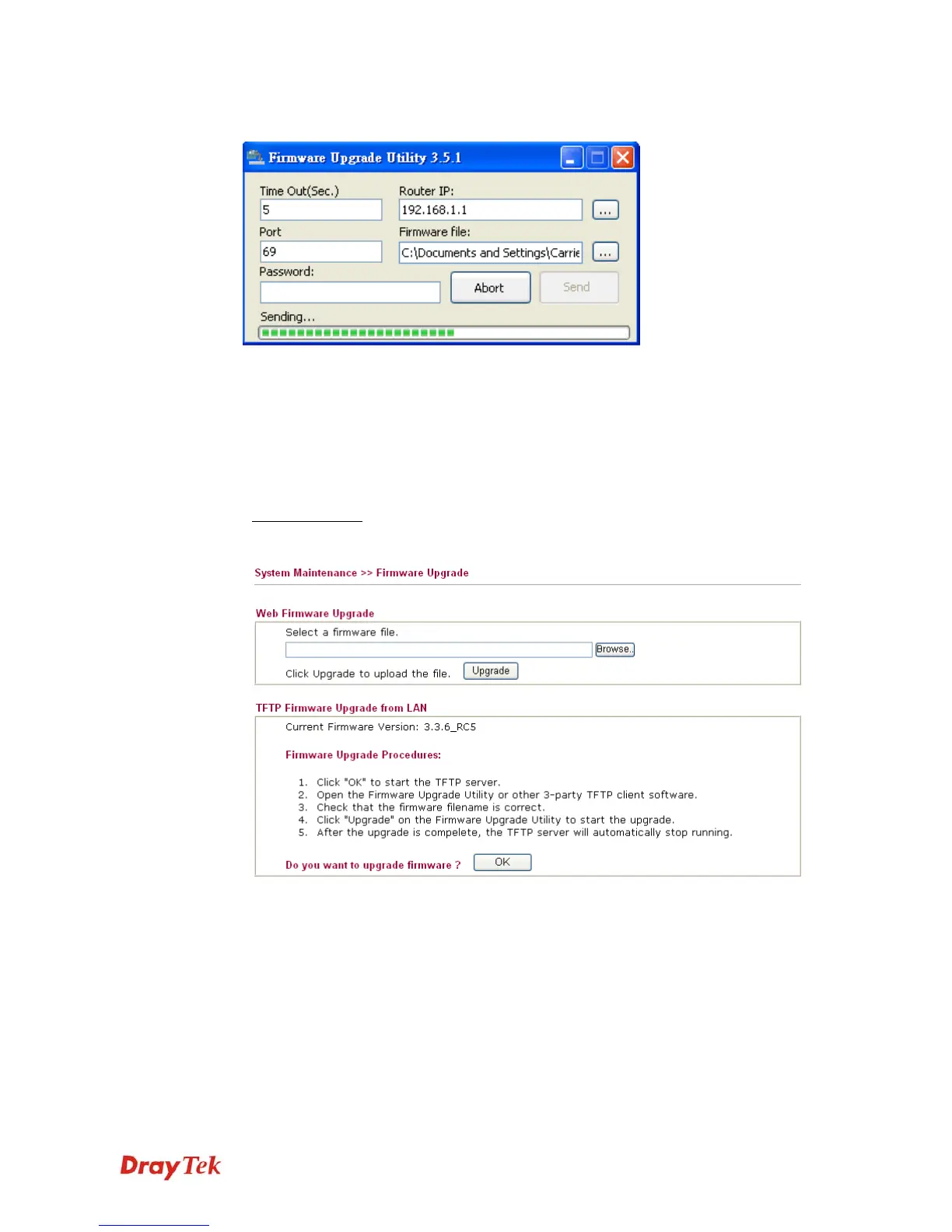
10. Click Send.
11. Now the firmware update is finished.
U
U
s
s
i
i
n
n
g
g
W
W
e
e
b
b
P
P
a
a
g
g
e
e
The web page also can guide you to upgrade firmware. Note that this example is running over
Windows OS (Operating System).
1. Download the newest firmware from DrayTek's web site or FTP site. The DrayTek web
site is www.DrayTek.com (or local DrayTek's web site) and FTP site is
ftp.DrayTek.com
.
2. Click System Maintenance>> Firmware Upgrade.
3. Select a firmware file by clicking Browse.
Click Upgrade to perform the firmware upgrade.





 To Next Page