Vigor2920 Series User’s Guide
9
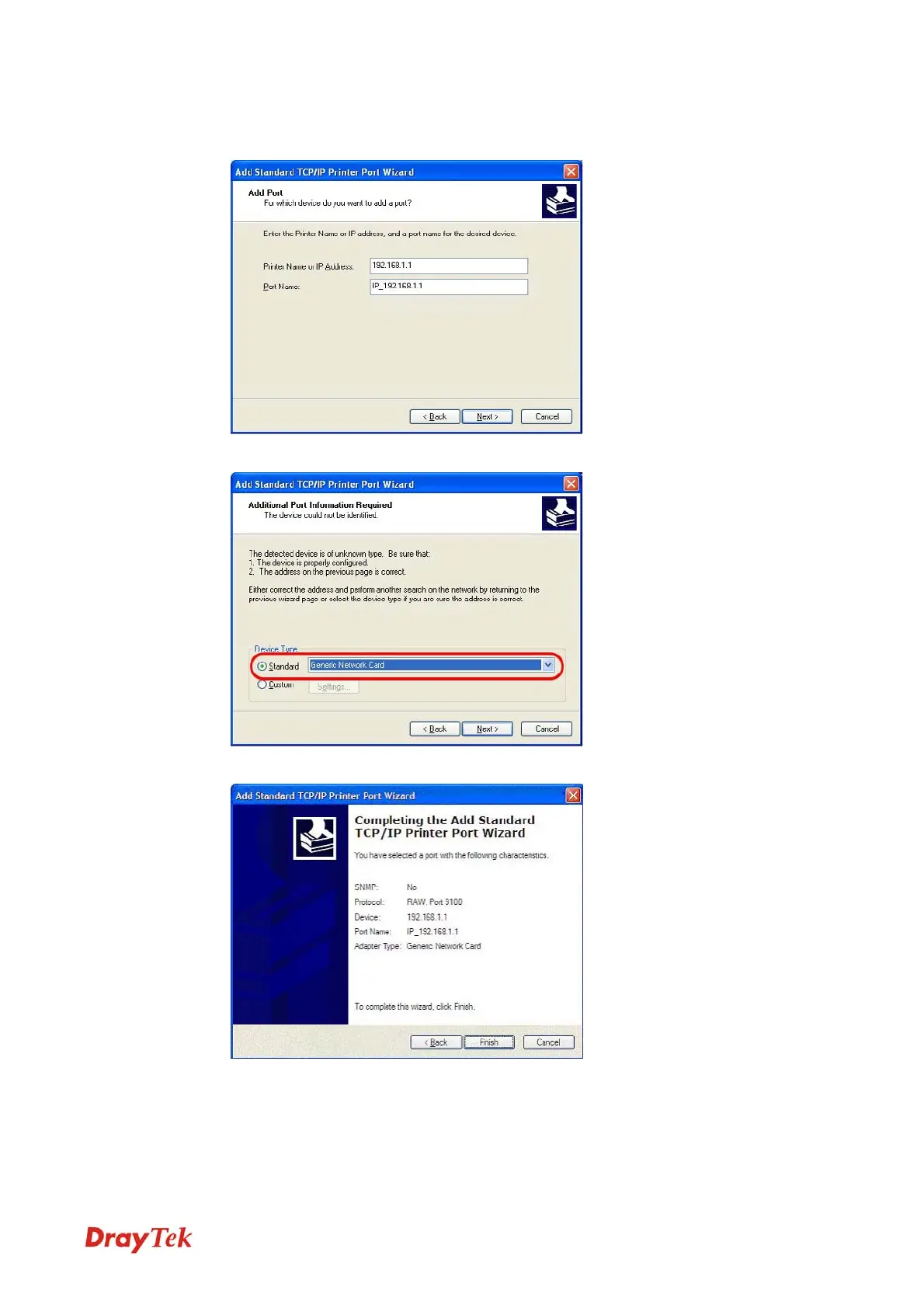
6. In the following dialog, type 192.168.1.1 (router’s LAN IP) in the field of Printer Name
or IP Address and type IP_192.168.1.1 as the port name. Then, click Next.
7. Click Standard and choose Generic Network Card.
8. Then, in the following dialog, click Finish.
VoIPon www.voipon.co.uk sales@voipon.co.uk Tel: +44 (0)1245 808195 Fax: +44 (0)1245 808299














 To Next Page