Vigor2920 Series User’s Guide
224
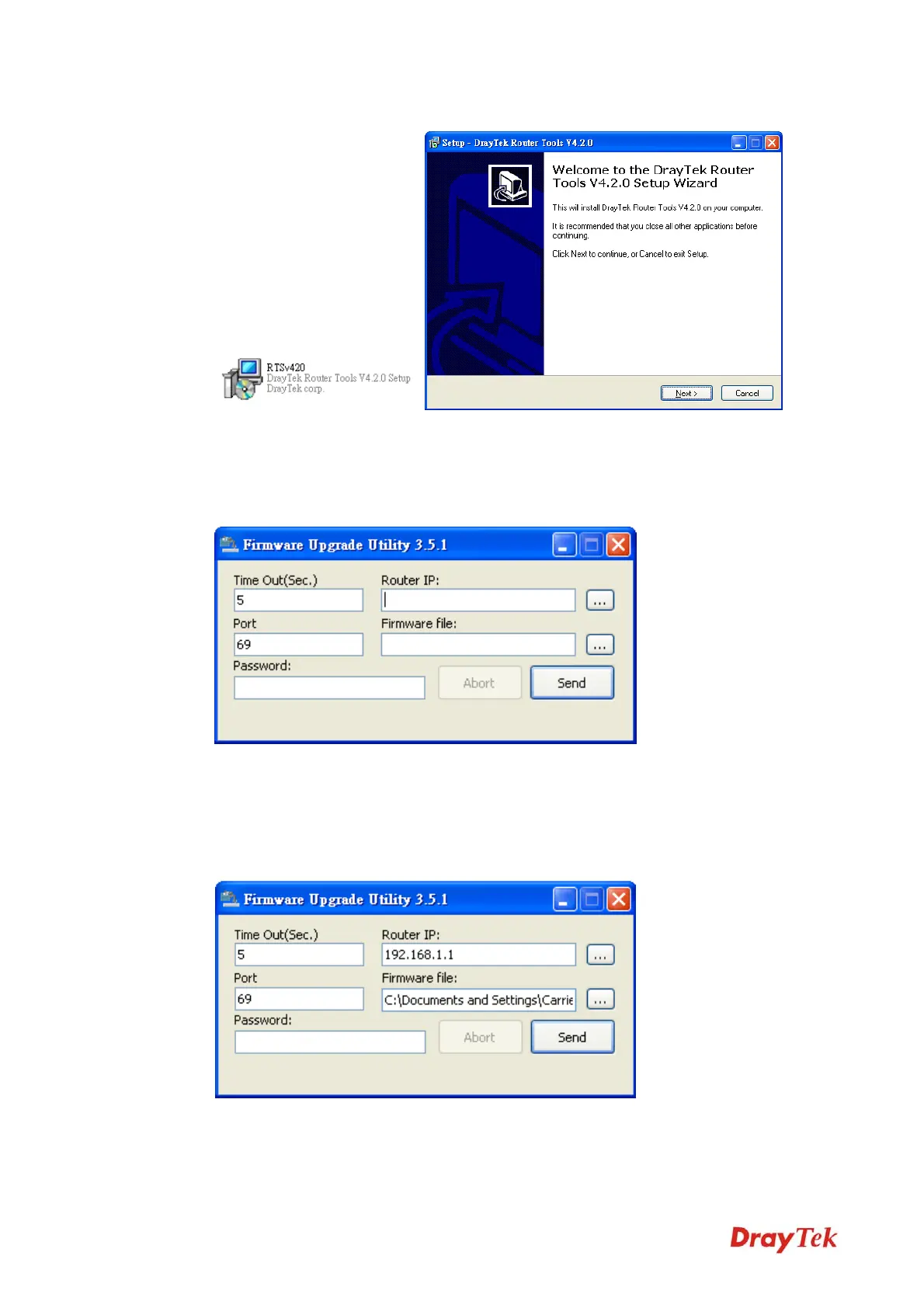
5. Double click on the icon of router tool. The setup wizard will appear.
6. Follow the onscreen instructions to install the tool. Finally, click Finish to end the
installation.
7. From the Start menu, open Programs and choose Router Tools XXX >> Firmware
Upgrade Utility.
8. Type in your router IP, usually 192.168.1.1.
9. Click the button to the right side of Firmware file typing box. Locate the files that you
download from the company web sites. You will find out two files with different
extension names, xxxx.all (keep the old custom settings) and xxxx.rst (reset all the
custom settings to default settings). Choose any one of them that you need.
VoIPon www.voipon.co.uk sales@voipon.co.uk Tel: +44 (0)1245 808195 Fax: +44 (0)1245 808299














 To Next Page