Vigor2920 Series User’s Guide
130
1. Go to LAN page and click General Setup, select 1st Subnet as the RIP Protocol
Control. Then click the OK button.
Note: There are two reasons that we have to apply RIP Protocol Control on 1st
Subnet. The first is that the LAN interface can exchange RIP packets with the
neighboring routers via the 1st subnet (192.168.1.0/24). The second is that those
hosts on the internal private subnets (ex. 192.168.10.0/24) can access the Internet via
the router, and continuously exchange of IP routing information with different
subnets.
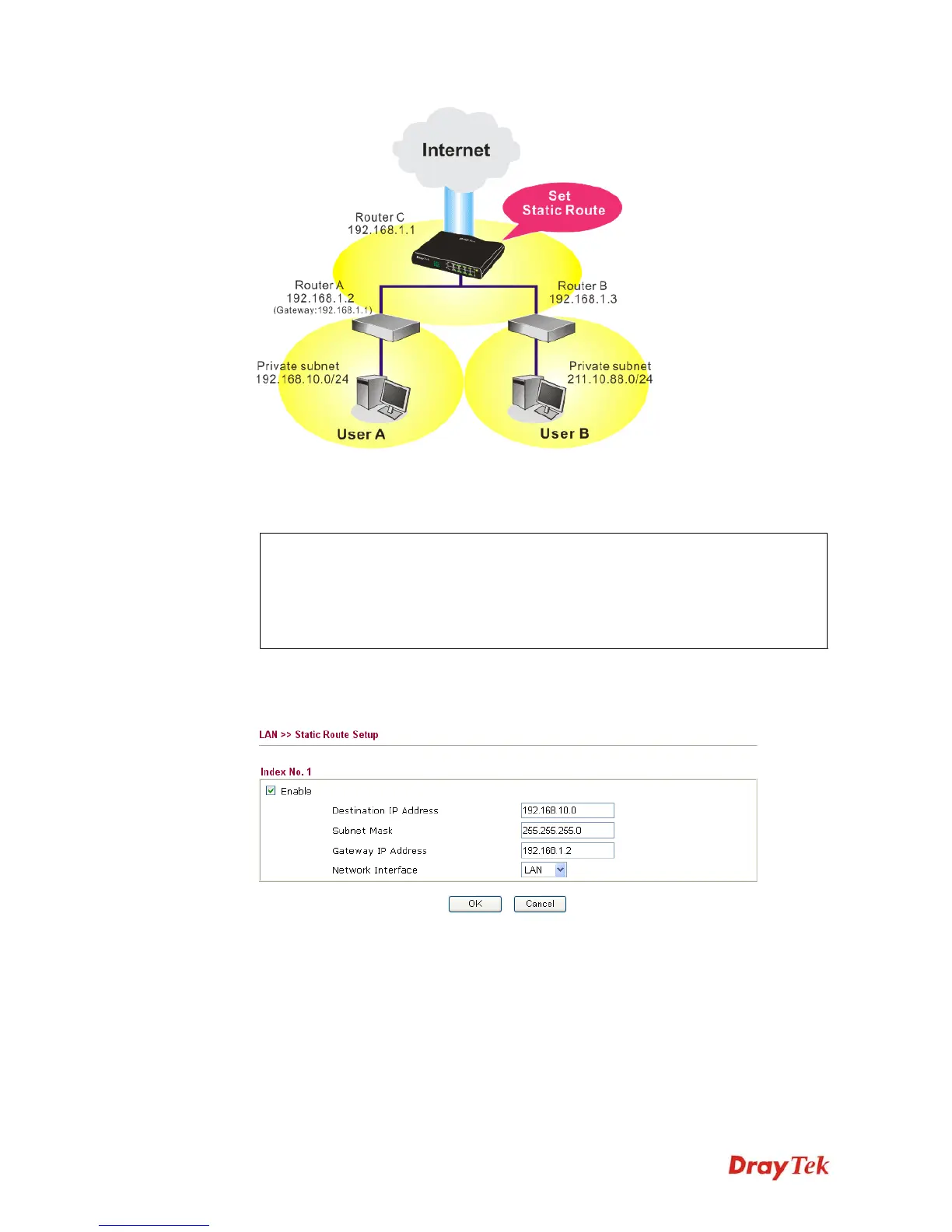
2. Click the LAN - Static Route and click on the Index Number 1. Check the Enable box.
Please add a static route as shown below, which regulates all packets destined to
192.168.10.0 will be forwarded to 192.168.1.2. Click OK.
3. Return to Static Route Setup page. Click on another Index Number to add another
static route as show below, which regulates all packets destined to 211.100.88.0 will be
forwarded to 192.168.1.3.














 To Next Page